Prepare your starting material
Start with a clear, open-eyed photo. Choose one subtle action; keep a separate copy of the original photograph.
Image to video
Create a gentle remembrance clip from a pet photo, with a small blink rather than a dramatic action. You can also choose an original-photo camera move in the local editor if you prefer the face to stay unchanged.
Start with a clear, open-eyed photo. Choose one subtle action; keep a separate copy of the original photograph.
Watch when you feel ready. Check the eyes, mouth and familiar expression; discard any result that feels uncomfortable.
AI animation invents movement and cannot recover a lost recording. The local camera option moves the photograph without animating the pet.
The same pet makes one very slow, gentle blink and reopens its eyes. Preserve its visible age, eye color, face and ear shapes exactly. Keep mouth, body, background and camera still. No talking, smiling, head turn, added symbols or scene change. Five quiet seconds.These finishing tools run in your browser. Choose an original photo or a downloaded result; files selected here are not uploaded.
This moves the original photograph and keeps the pet unanimated. Export is WebM or MP4 depending on browser support; no audio is added.
These finishing tools run in your browser. Choose an original photo or a downloaded result; files selected here are not uploaded.
Use clips up to 15 seconds. Export keeps the whole frame, adds text below it, and produces a silent MP4 or WebM. Light adjustments change existing pixels; they cannot recover detail the camera did not capture.
These finishing tools run in your browser. Choose an original photo or a downloaded result; files selected here are not uploaded.
Videos start at the same time. Different generated durations can still drift; pause and scrub to inspect the action. Sound is muted for comparison.
These are individual tests with licensed photographs or a written prompt. Compare the details before choosing a workflow; each result can differ.
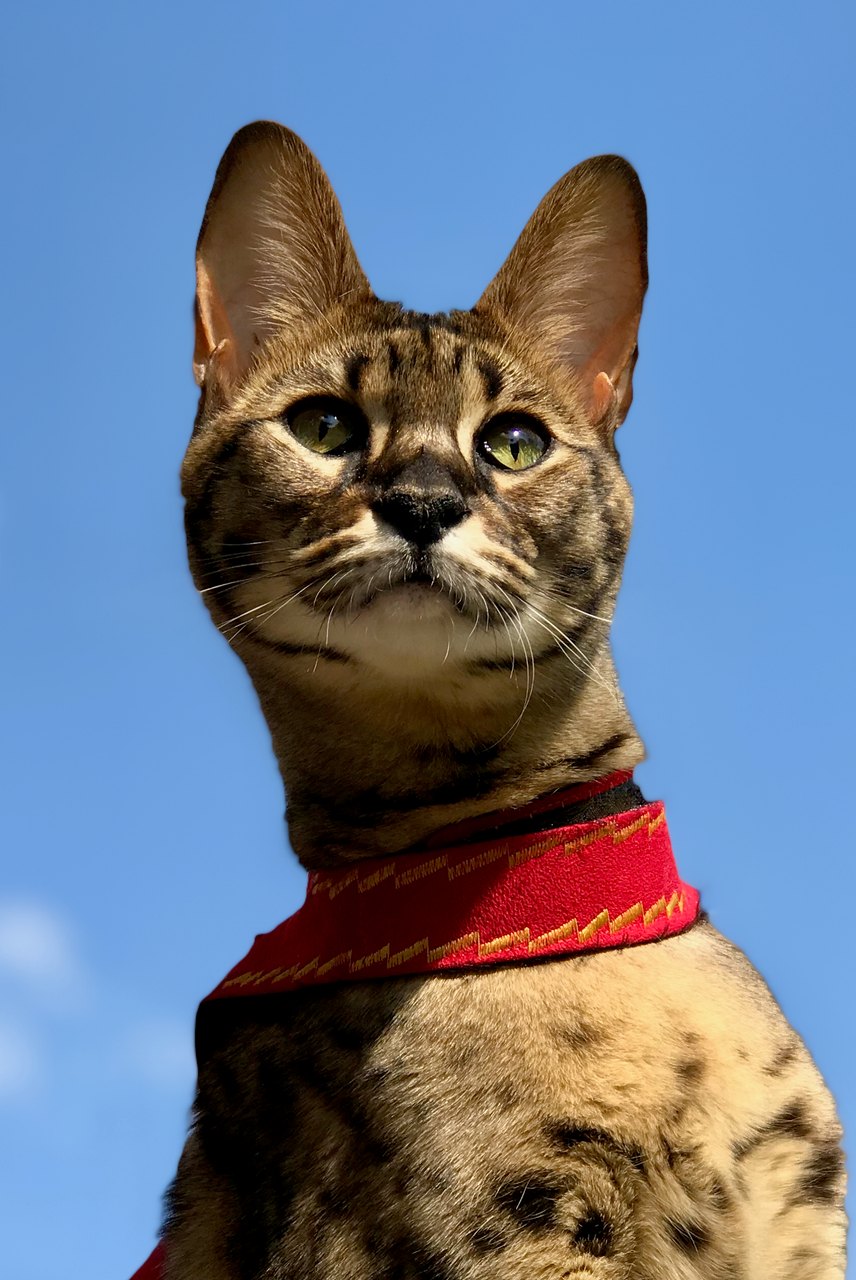
This sample closes and reopens its eyes, then slightly raises its head. The tall ears, green eyes and red harness remain recognizable. The light margins are visible in the result; exact blink counts and identity fidelity can vary.
Source photograph: Maxinjo; crop by YukiKoKo · CC0-1.0
R03 · 2026-10-14 · fal-ai/kling-video/v2.5-turbo/pro/image-to-video
Begin with the same open-eyed Savannah cat in the reference. The cat makes one slow, natural blink, fully reopening both eyes to the same original green eye color, then lifts its head just slightly. Preserve the exact tall ear shapes, muzzle, face proportions, asymmetric visible coat markings and red harness. Keep the body position, blue-sky background and camera almost still. Five calm seconds. No talking, yawning, eye-color change, exaggerated expressions, standing up, walking, new accessories, extra animals, text or scene cuts.
Images and videos are compressed for this page. The dimensions shown describe the downloadable original. Video previews use the delivered clip without changing its action or playback speed.
Free previews carry a watermark: images up to 768 px on the long side and videos at 480p. They remain available for 14 days. Original access requires purchased credits when checkout is available; unlocked works are kept for 90 days. Check the actual dimensions and expiry on the completed work.
Uploads and generated files belong to your private workspace. Generation providers process the material you submit. Sharing is a separate choice; upload only material you have permission to use.
AI animation invents movement and cannot recover a lost recording. The local camera option moves the photograph without animating the pet.
This editable preset guides the model. Review the result before keeping it; a preset is not a guarantee of likeness, exact motion or flawless editing.