Prepare your starting material
Upload a sharp photo with both eyes visible. For example: the eye on the left side of the image is blue; the eye on the right is amber.
Image to image
Make a cat memorial portrait that retains the details you recognize, including differently colored eyes. Specify eye colors by their position in the photograph to avoid left-right ambiguity.
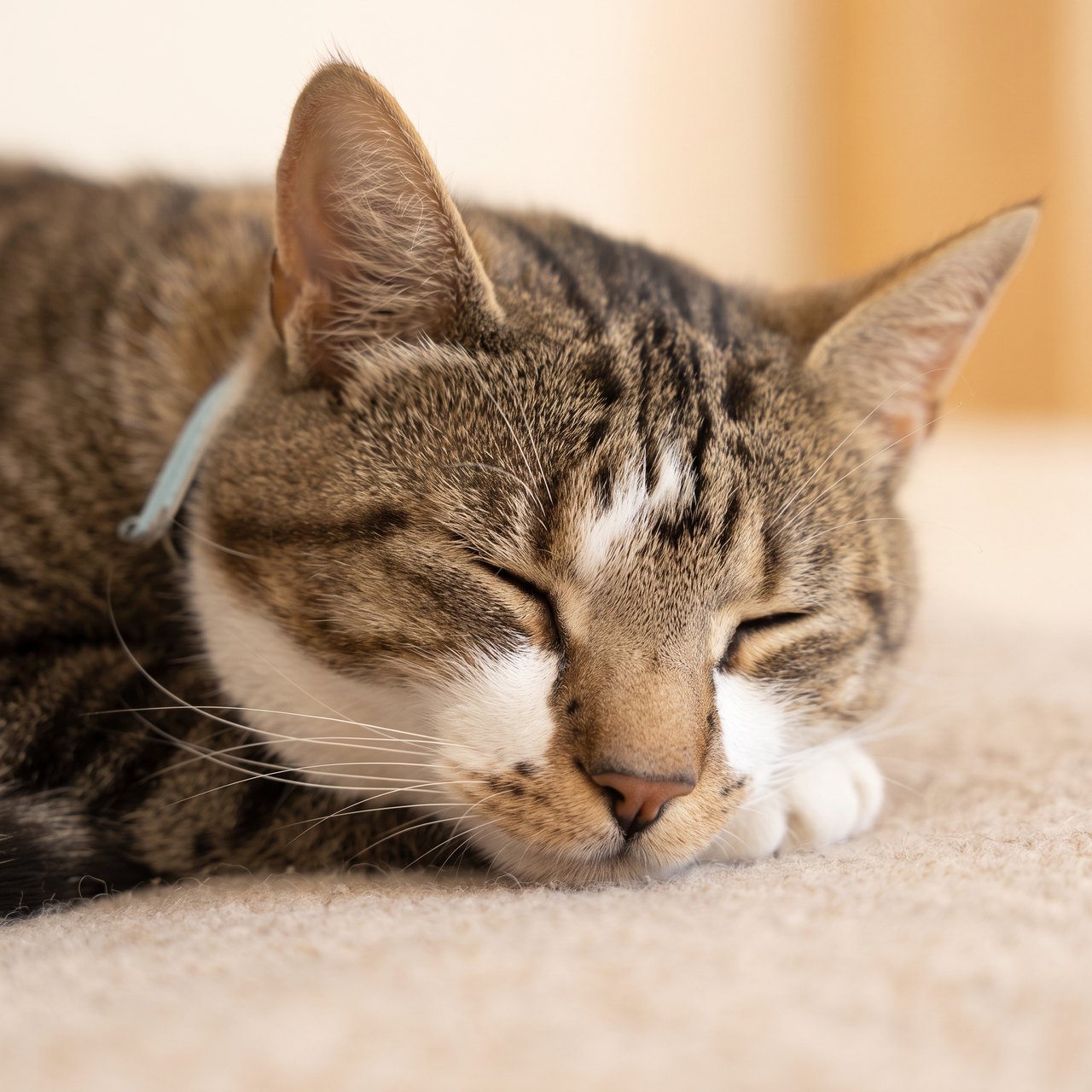
Upload a sharp photo with both eyes visible. For example: the eye on the left side of the image is blue; the eye on the right is amber.
Compare each eye, the nose marking and the ear outline before downloading. Keep the original expression and visible age.
AI can swap eye colors or simplify markings. Check the result carefully; a portrait preview is not a likeness guarantee.
Make a restrained memorial portrait of this exact cat. Preserve each eye's original color on the same side of the image, nose markings, ear shapes, facial proportions, visible age and expression. Neutral warm background, no wings, halo, rainbow, added text or new objects.Your next useful step
Choose your starting point, edit the instructions, and review the credit quote before generating. Current access conditions are shown in the creator.
Open the creatorThese finishing tools run in your browser. Choose an original photo or a downloaded result; files selected here are not uploaded.
Illustrative scenario, not a customer testimonial.
One side of a cat’s nose is dark and the other is pale. Record which side is which from the viewer’s perspective, then compare the preview without mirroring either image; a symmetrical face would lose the identifying feature.
These are individual tests with licensed photographs or a written prompt. Compare the details before choosing a workflow; each result can differ.
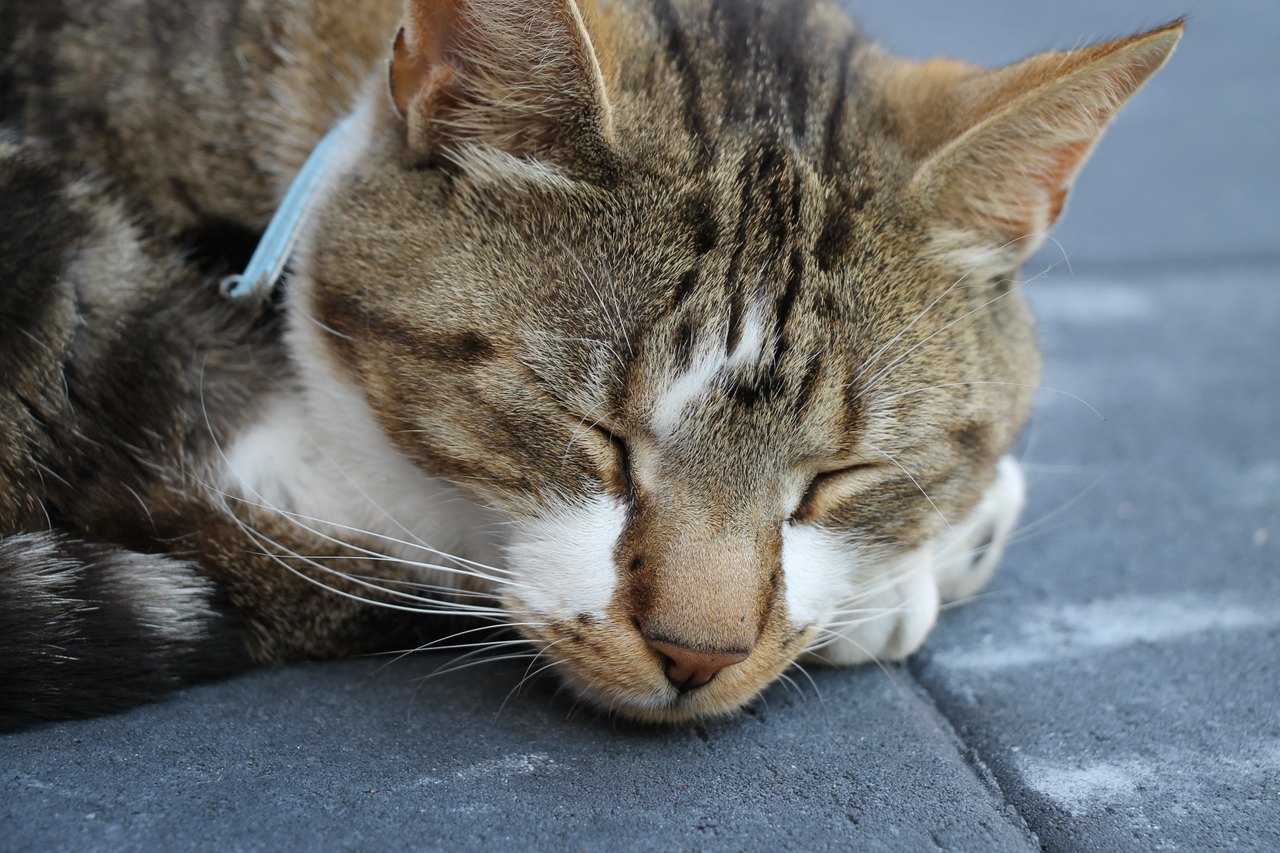
The closed eyes and main coat markings remain recognizable. Fine markings, whiskers and the surface beneath the cat were redrawn; no wings or halos were added. This is a hypothetical memorial test, with no claim about the photographed animal’s life status.
Source photograph: Roy Tanck · CC0-1.0
C04 · 2026-10-13 · fal-ai/nano-banana-2/edit
Make a quiet, restrained commemorative portrait using this exact resting cat as the reference. Preserve the closed eyes, facial proportions, ears, whiskers and visible fur markings. Keep the same natural resting expression and age, with a soft warm neutral background and gentle natural light. No angel wings, halos, rainbow, heavenly scene, candles, flowers, dates, name, text or invented objects. This is a calm artistic portrait, not a restoration of a real event.
Images and videos are compressed for this page. The dimensions shown describe the downloadable original. Video previews use the delivered clip without changing its action or playback speed.
Free previews carry a watermark: images up to 768 px on the long side and videos at 480p. They remain available for 14 days. Original access requires purchased credits when checkout is available; unlocked works are kept for 90 days. Check the actual dimensions and expiry on the completed work.
Uploads and generated files belong to your private workspace. Generation providers process the material you submit. Sharing is a separate choice; upload only material you have permission to use.
AI can swap eye colors or simplify markings. Check the result carefully; a portrait preview is not a likeness guarantee.
This editable preset guides the model. Review the result before keeping it; a preset is not a guarantee of likeness, exact motion or flawless editing.
Updated 2026-10-12
A cat memorial portrait is often recognized through small differences: a patch beside one eye, a white chin, a dark nose or the outline of the face. Write those details from the photos you actually have. The tool above uses cat profiles and a quiet natural memorial style, so the starting point is your cat's identity.
A request such as “keep the white patch on the left” can be ambiguous. Is that the cat's left side or the left edge of the picture? Refer to a particular photo and describe where the feature appears in that image.
For example: “In the main photo, the dark patch is beside the eye on the right edge of the image; the chin is white.” This is a fictional instruction showing how to be specific. Replace it with what your photograph shows.
Do not treat a more symmetrical face as a better result. If the reference has different markings on each side, that difference belongs in the review.
| Photo you have | What it can contribute | What it cannot confirm |
|---|---|---|
| Clear face near a window | Eye area, nose and facial patches | Fur or paws outside the frame |
| Sleeping photograph | A familiar resting pose | Details of open eyes |
| Dark-room snapshot | The moment and setting you remember | Colors or edges hidden in shadow |
| Wider seated photograph | Body outline and visible coat pattern | Fine facial detail when the face is small |
Keep a sentimental photo even if another image is the better identity reference. Tell the tool which one should set the pose and which one supplies the visible markings.
A photograph with a clearly visible face gives you something concrete to compare. If the only image is damaged, photo restoration is a separate task with its own limits; it cannot verify features that were never visible.
Look at the entire face first. Then compare the eye color that is visible in the reference, the shape and tone of the nose, and the edge of any white chin or muzzle patch.
Check a striped coat for the arrangement you remember rather than demanding identical individual hairs. A painting style can simplify texture. That simplification becomes a problem when it changes a distinctive patch or creates an unfamiliar face.
Watch for a mirrored marking, a missing ear tip or a background object that has become part of the body. Keep your original beside the result while making the decision.
A tight crop can make a portrait look dramatic while removing the details you wanted to keep. Review a wider composition before selecting a frame.
If the favorite photograph shows a cat curled in a particular chair, you can request that pose. Any newly generated furniture or setting is an artistic interpretation. You can also choose a plain setting that leaves attention on the face.
The Rainbow Bridge portrait is available when its meadow imagery feels appropriate. For someone else's cat, ask about that choice before making the gift.
A free preview has a physical watermark and is no larger than 768 pixels on its longest side. A paid single portrait or an unlock costs 10 purchased credits and opens the saved original, PNG and print layouts.
Use the actual downloaded dimensions in the print calculator. Choose a whole-image layout when filling the paper would cut away the ear tips. The 5×7 and 8×10 PDF layouts place the source image on paper without creating new detail.
Save the reference, artwork and a note describing which markings you checked. The service keeps free works for 14 days and unlocked works for 90 days from unlocking; keep your own copy before expiry.
A note saying “the dark patch is on the left” can become ambiguous when photographs are mirrored. State whether you mean the cat’s left side or the viewer’s left side, and keep that convention throughout your brief. Preserve the unflipped original next to any crop. If a phone image may have been mirrored, compare it with another known photograph before assigning the markings. This matters particularly when one cheek, eye area or ear carries a distinctive color that identifies the cat.
Warm room lighting, reflections and shadow can change how an eye looks in a photograph. Use a second clear image if you need to explain the color, but keep the main photograph as the guide for expression and head shape. Avoid insisting on a brighter or more saturated eye simply because it stands out in a painting. Compare both eyes, pupil shape and the surrounding fur. If the reference does not reveal a detail, mark it uncertain instead of asking the generator to produce an invented certainty.
A curled sleeping cat may have only one visible paw and a partially hidden tail. That can be a complete and recognizable portrait. Asking for a standing pose creates a different task, with more anatomy outside the reference. If you want a wider scene, supply a suitable full-body photograph or choose a crop that stays close to what is visible. The cat photo portrait guide focuses on preparing pose references for everyday artwork rather than memorial symbolism.
A favorite windowsill, blanket edge or chair can say more than an elaborate new landscape. Pick one background detail and decide whether it is a real reference or newly imagined scenery. Remove private household information from anything you plan to share. A cat memorial record can preserve the original room and recordings privately, while the portrait uses a simpler background. When a gift is intended, use the cat memorial gift guide to confirm which home details the recipient welcomes.
Yes, when that is the pose you want. A second clear reference can explain visible facial markings, but it does not prove how hidden details looked in the sleeping moment.
Use the pet family portrait and separate profiles. This page's tool is for a single cat.
Ask whether the recipient would welcome a portrait and which photo they prefer. A gift brief helps settle those choices before creation.