Made for this idea
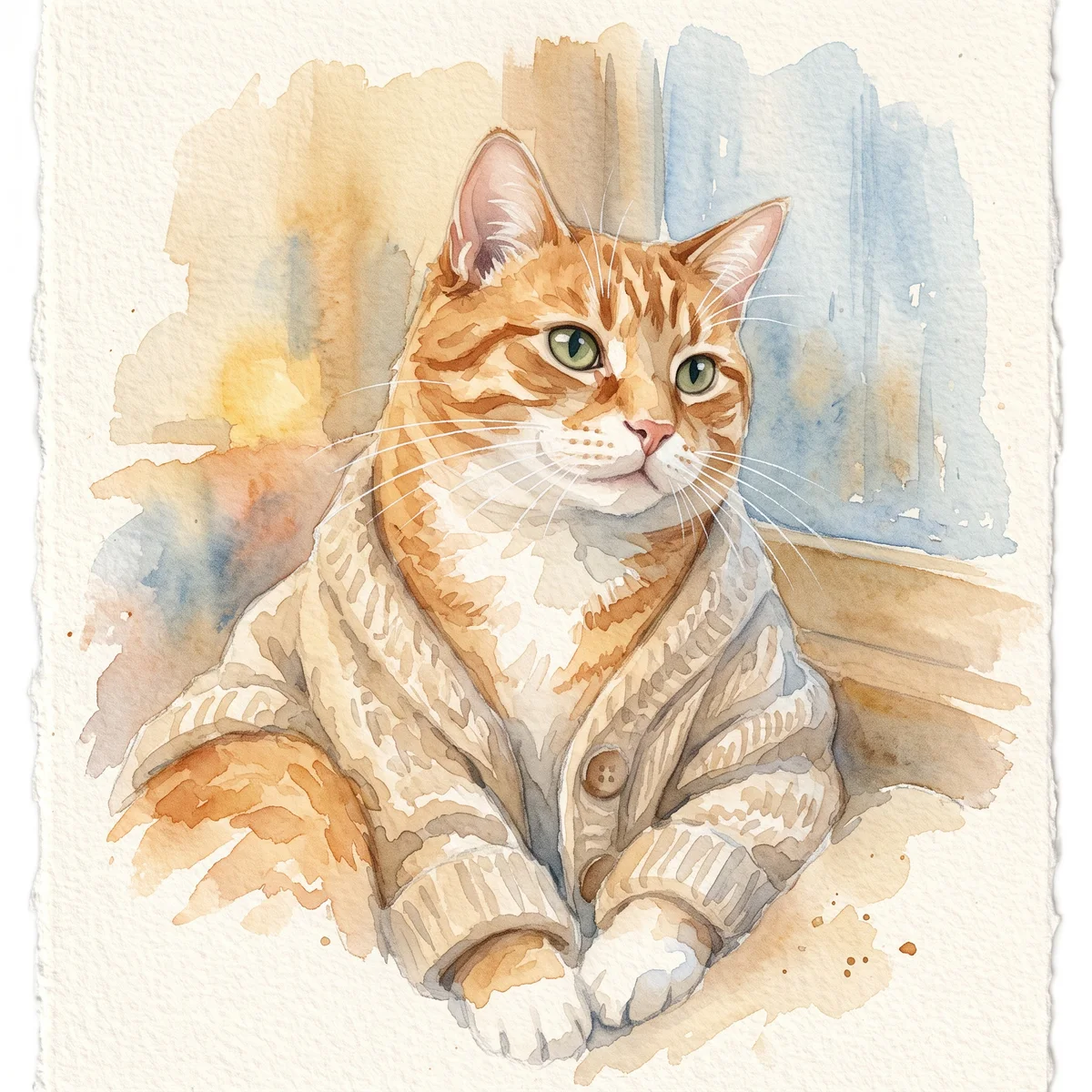
A soft portrait for a small print, keepsake or quiet profile image. Pale washes work best when the face remains the strongest shape in the composition.
Image to image
Make a cat portrait from your photo. Select a cat profile and compare eye color, ear shape, facial patches and the way your cat holds its head.
Your next useful step
Choose your starting point, edit the instructions, and review the credit quote before generating. Current access conditions are shown in the creator.
Open the creatorIllustrative scenario, not a customer testimonial.
A cat has a small pale patch below only one eye. Choose a clear close reference for that detail and inspect it after stylization; a generally similar cat is not the same as preserving this individual marking.
Watercolor portrait
A soft portrait for a small print, keepsake or quiet profile image. Pale washes work best when the face remains the strongest shape in the composition.
Use even lighting and a plain background. Ask for a restrained palette and leave paper-colored space around the ears; busy scenery can obscure fine whiskers.
Check that watery edges have not erased an eye, merged the ears or moved a distinctive patch. Review at the size you intend to display, then use the print-size calculator if printing.
Upload one to five JPG, PNG or WebP references, each up to 12 MB. Start with a clear face and add another angle only when it explains a marking or body feature.
Say what should change and what should remain: for example, change the setting while keeping the ear shape, eye color and chest patch. Avoid combining an outfit, background, pose and lighting change in the first attempt.
Check the quoted credits before submitting. When the work is ready, compare the face, edges and composition; for video, watch the beginning, middle and end. Download the accepted file from your library before its expiry date.
Image to image
This editable preset guides the model. Review the result before keeping it; a preset is not a guarantee of likeness, exact motion or flawless editing.
Edit the uploaded pet photograph. Soft watercolor pet portrait with visible paper texture. Preserve the pet’s recognizable face, coat markings and proportions. Do not add text or watermarks.Try the other starting point · Text to image →
These are individual tests with licensed photographs or a written prompt. Compare the details before choosing a workflow; each result can differ.
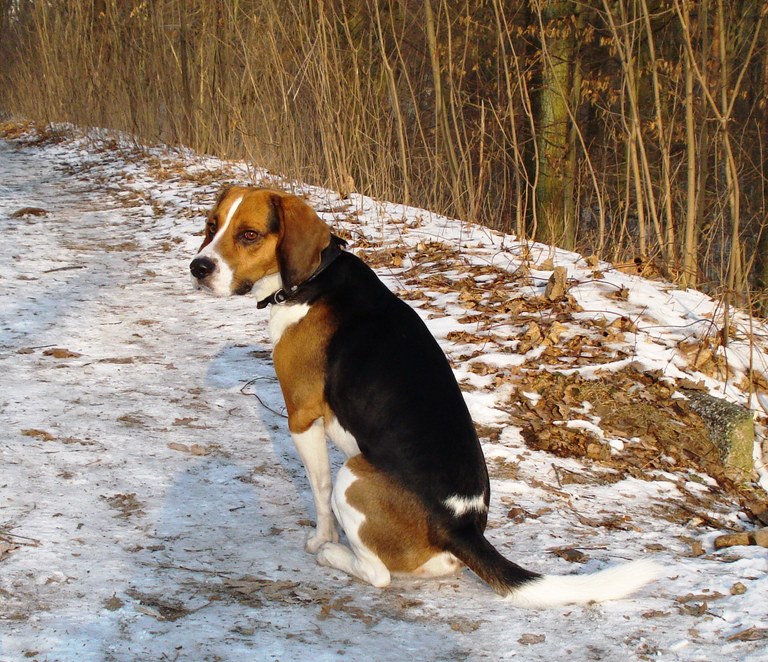
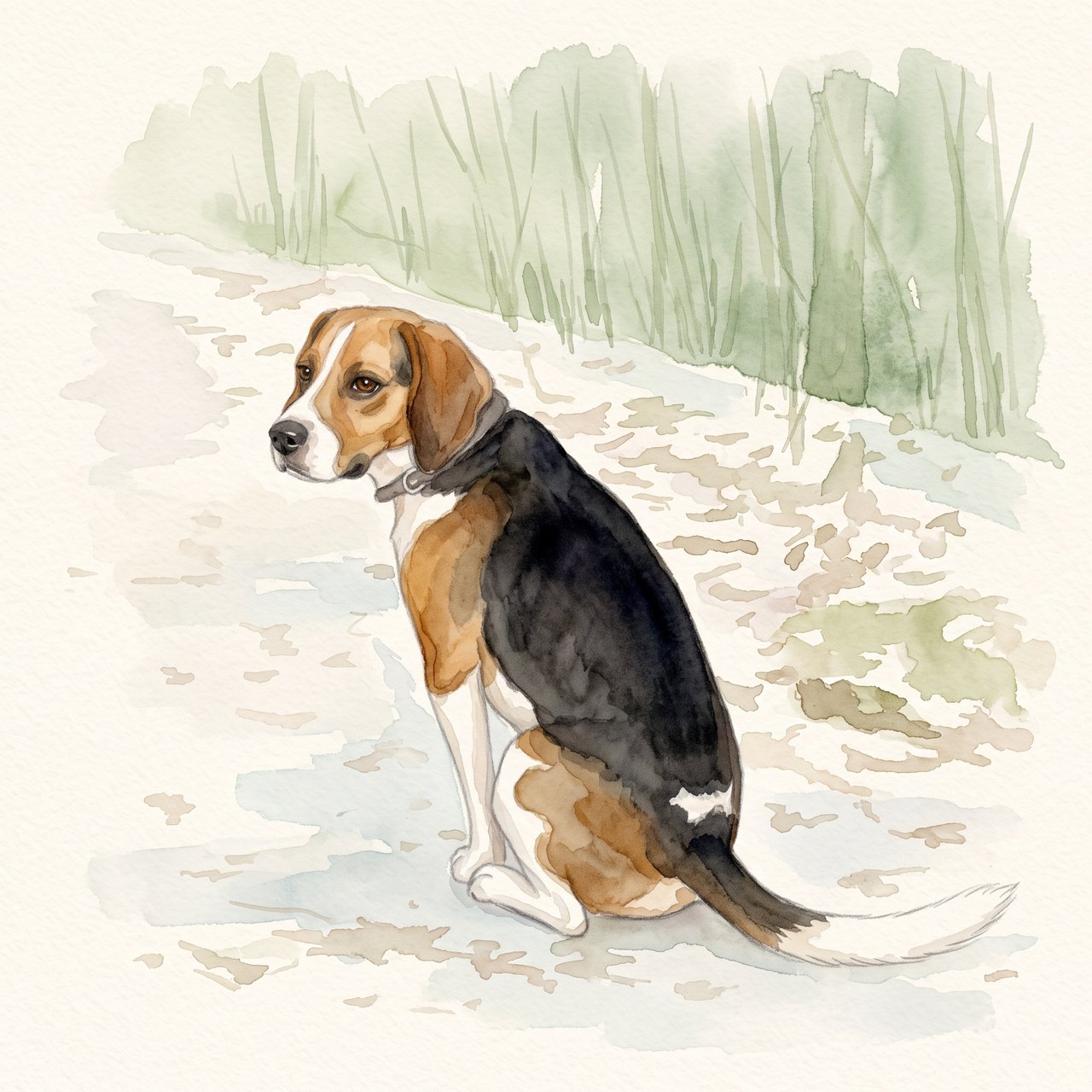
The seated pose, white blaze, dark saddle and white-tipped tail remain recognizable. The face and fur edges are redrawn, and woodland shapes remain despite the request for a plain background. Check these details before using the portrait.
Source photograph: Grzes1966 · CC0-1.0
R07 · 2026-10-14 · fal-ai/nano-banana-2/edit
Create a gentle watercolor portrait from this exact tricolor dog photo. Preserve the white blaze, black saddle, tan ears, white-tipped tail and visible seated pose. Keep the entire existing photo content in view. Use a clean pale cream paper background and soft sage accents. No additional animals, text, clothing, wings, halo, extra limbs or invented props.
Images and videos are compressed for this page. The dimensions shown describe the downloadable original. Video previews use the delivered clip without changing its action or playback speed.
Free previews carry a watermark: images up to 768 px on the long side and videos at 480p. They remain available for 14 days. Original access requires purchased credits when checkout is available; unlocked works are kept for 90 days. Check the actual dimensions and expiry on the completed work.
View pricing and access →Uploads and generated files belong to your private workspace. Generation providers process the material you submit. Sharing is a separate choice; upload only material you have permission to use.
Read the data-handling notice →Upload one to five JPG, PNG or WebP references, each up to 12 MB. Start with a clear face and add another angle only when it explains a marking or body feature.
Check that watery edges have not erased an eye, merged the ears or moved a distinctive patch. Review at the size you intend to display, then use the print-size calculator if printing.
A reference image gives the model information to work from, but distinctive markings, proportions and expressions can change. Text-only creation invents a pet from your description. If exact documentary detail matters, retain the original photo alongside any AI interpretation.
Free previews carry a watermark: images up to 768 px on the long side and videos at 480p. They remain available for 14 days. Original access requires purchased credits when checkout is available; unlocked works are kept for 90 days. Check the actual dimensions and expiry on the completed work.
This editable preset guides the model. Review the result before keeping it; a preset is not a guarantee of likeness, exact motion or flawless editing.
Updated 2026-10-12
A cat portrait from a photo is easier to judge when the reference shows the whole face and the pattern around it. A dark patch beside one eye or a different-colored ear can be more distinctive than the overall coat color. This tool selects cat profiles and offers watercolor, garden, line-art and royal styles.
Choose a still image with the ears visible and the face away from deep shadow. If your cat usually turns one way, a clear three-quarter view may describe them better than an unfamiliar straight-on pose.
Do not mirror a reference just to balance the composition. That can swap asymmetric facial markings. Keep an untouched copy so you can check which side each patch belongs on.
Watercolor can soften an edge while leaving the position of a marking intact. Line art deliberately removes color and texture, so judge the silhouette, eye spacing and head shape instead of expecting every stripe.
A tabby pattern should not become a generic evenly spaced design simply because it looks decorative. Write down the two or three facial details you would notice if they changed.
Review the ear tips and how the head meets the neck. Look for whiskers that turn into background lines, extra paws or paws that appear to pass through a surface.
A costume may frame the head, but it should not hide the features you need to identify the cat. If clothing dominates the result, simplify the preference and start a separate request only after reviewing the first one.
A thin line drawing can become hard to read in a small thumbnail. View the result at its intended size before selecting it for a sticker or avatar. The manual sticker cutter also accepts cat photos and lets you decide the exact outline.
For a restrained remembrance image, the cat memorial portrait offers a quieter brief. The standard cat portrait tool does not assume a loss.
A cat portrait from photo can preserve a curled sleeping pose, a window-side profile or an alert seated view. Choose the photograph for that purpose instead of demanding a full standing cat from a face-only crop. Hidden paws and tails are not missing information you must fill in; they can stay hidden in the finished composition. If the intended artwork needs a different posture, look for another reference that actually documents it. Keep the original pose available so you can judge how much was changed.
Write where the color changes cross the nose, cheeks, ears and chest. State whether left and right refer to the cat or the viewer. Keep the original orientation, especially if a phone image may be mirrored. A breed name cannot specify an individual patch or a particular eye color. When several photographs show different lighting, use the clearest image to explain the marking, while keeping the chosen main photo for expression. The general photo brief helps label those roles.
A favorite chair or windowsill may be part of the portrait’s appeal, but an address, family photograph or document need not travel with it. Decide which household detail to keep and which to simplify. For example, a brief might preserve the blanket’s blue color while removing papers from the table. Describe those as design changes instead of presenting the new room as a real scene. If the portrait will be a gift, the personalized pet gift guide helps connect that choice with the recipient’s intended use.
Check that both ear tips fit, the pupils and eye colors match the references, and a dark cheek patch has not migrated to the other side. Inspect the outline around the whiskers without treating every painted whisker as a recovered photographic detail. Then choose the crop for the final display. For a broader understanding of style simplification, use the AI pet art guide. If you want a memorial portrait instead of everyday artwork, the cat memorial page addresses the age and remembrance choices separately.
Use references that document the appearance you want to preserve. Strong lighting or reflections can change how eye color looks; do not ask the model to settle an uncertainty from conflicting pictures.
Mention a visible feature in the preference field, then verify it in the output. A prompt is a request, not proof that the model preserved it.
Use separate pet profiles in the together workflow. This page handles one cat so that its reference photos stay associated with one identity.
Select the cat portrait that remains recognizable when viewed beside the source, including at the small size where you plan to use it.