Made for this idea
A soft portrait for a small print, keepsake or quiet profile image. Pale washes work best when the face remains the strongest shape in the composition.
Text to image
Use your own source and artwork to review watercolor, line-art or playful pet styles. Record simplified details and added scenery before choosing a direction.
Your next useful step
Choose your starting point, edit the instructions, and review the credit quote before generating. Current access conditions are shown in the creator.
Illustrative scenario, not a customer testimonial.
You want a bold pop-art image where colors are intentionally changed. Decide which shapes still identify the pet and which colors may be invented; evaluate the result as an artistic interpretation rather than a corrected photograph.
Watercolor portrait
A soft portrait for a small print, keepsake or quiet profile image. Pale washes work best when the face remains the strongest shape in the composition.
Use even lighting and a plain background. Ask for a restrained palette and leave paper-colored space around the ears; busy scenery can obscure fine whiskers.
Check that watery edges have not erased an eye, merged the ears or moved a distinctive patch. Review at the size you intend to display, then use the print-size calculator if printing.
Start with a written description; no upload is needed. Name the animal, two identifying traits, the scene and the style. This route invents a pet rather than matching a photograph.
Keep the description consistent: one subject, a clear pose, a small number of colors and one visual treatment. Describe important markings explicitly instead of assuming a breed name contains every detail.
Check the quoted credits before submitting. When the work is ready, compare the face, edges and composition; for video, watch the beginning, middle and end. Download the accepted file from your library before its expiry date.
Text to image
This editable preset guides the model. Review the result before keeping it; a preset is not a guarantee of likeness, exact motion or flawless editing.
Create a detailed image of a beloved pet. Soft watercolor pet portrait with visible paper texture. Clear anatomy, expressive eyes, coherent lighting, no text or watermark.Try the other starting point · Image to image →
This is an AI demo from a real generation run. It illustrates the input mode; it is not a result for every style or a customer photograph.
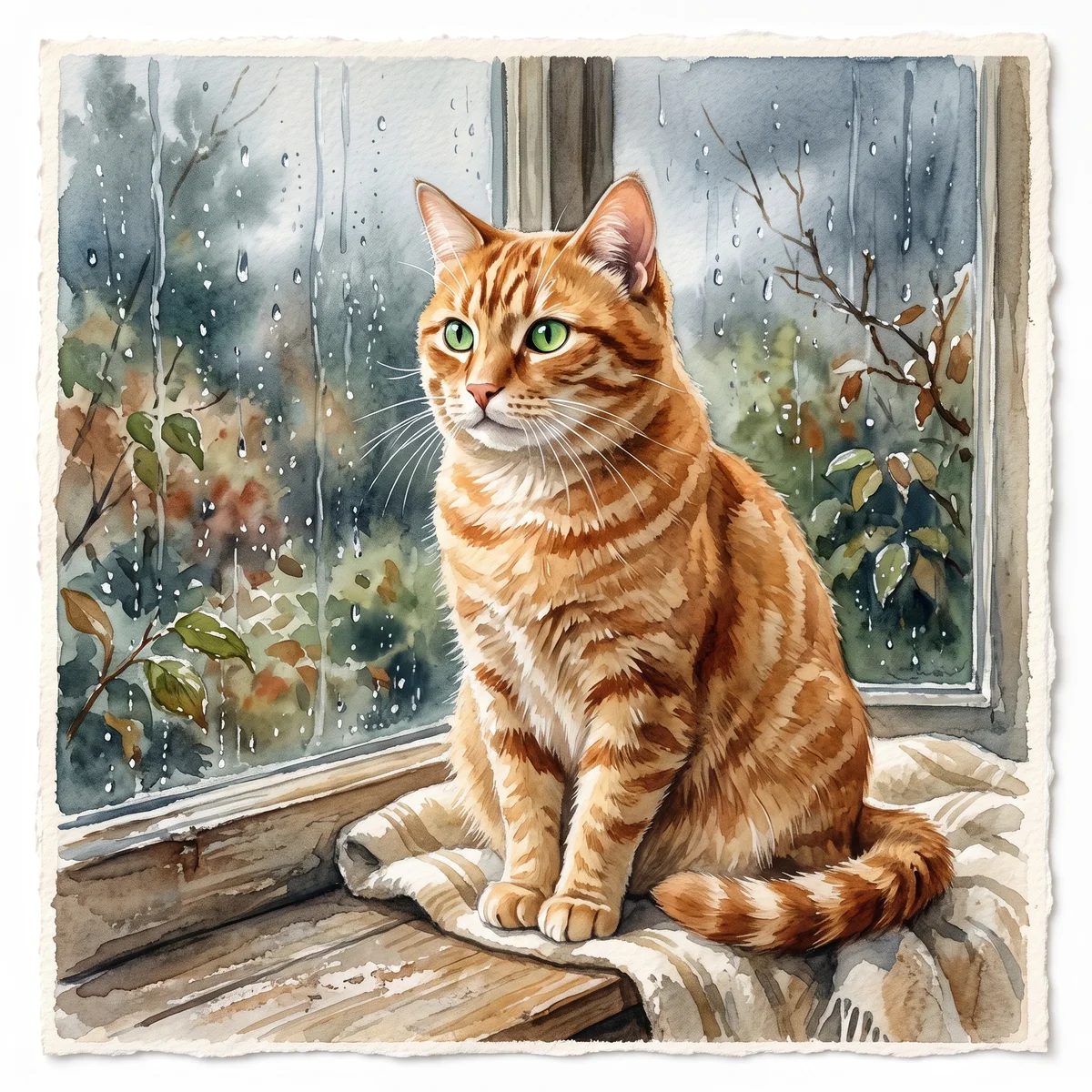
An orange tabby with green eyes, sitting by a rainy window. Watercolor on textured ivory paper.
One AI image in a square, landscape or portrait composition. Use image-to-image if keeping your own pet recognizable is the main goal.
Free previews carry a watermark: images up to 768 px on the long side and videos at 480p. They remain available for 14 days. Original access requires purchased credits when checkout is available; unlocked works are kept for 90 days. Check the actual dimensions and expiry on the completed work.
View pricing and access →Uploads and generated files belong to your private workspace. Generation providers process the material you submit. Sharing is a separate choice; upload only material you have permission to use.
Read the data-handling notice →Start with a written description; no upload is needed. Name the animal, two identifying traits, the scene and the style. This route invents a pet rather than matching a photograph.
Check that watery edges have not erased an eye, merged the ears or moved a distinctive patch. Review at the size you intend to display, then use the print-size calculator if printing.
A reference image gives the model information to work from, but distinctive markings, proportions and expressions can change. Text-only creation invents a pet from your description. If exact documentary detail matters, retain the original photo alongside any AI interpretation.
Free previews carry a watermark: images up to 768 px on the long side and videos at 480p. They remain available for 14 days. Original access requires purchased credits when checkout is available; unlocked works are kept for 90 days. Check the actual dimensions and expiry on the completed work.
This editable preset guides the model. Review the result before keeping it; a preset is not a guarantee of likeness, exact motion or flawless editing.
Updated 2026-10-12
AI pet art changes more than a surface texture. A style may simplify the outline, soften a marking or add a new setting. Compare those choices against what you want the picture to do.
Separate intentional style changes from lost identity details, and record how you plan to use the artwork.
Your entries stay in this browser tab. Download a copy before leaving; this worksheet does not send messages or place orders.
Open your own source and result side by side. Files stay on this device. Images: JPEG, PNG or WebP up to 12 MB / 40 MP. Video: MP4 or WebM up to 150 MB.
A clear silhouette can help a small graphic; a wider picture gives a scene more room. The portrait styles include watercolor, line art and playful object-like directions. Their names describe creative treatments, not tested levels of accuracy.
Use one main reference while comparing candidates. Upload the source on the left and one artwork on the right, then save one review for each style. This page does not present a controlled comparison of real customer pets.
List lost coat details, changed edges and new objects separately. Line art may intentionally omit color information; a different nose or ear shape may be less acceptable. The right question is whether the transformation fits the brief you set.
A chosen image can become a wallpaper or a manually traced sticker. Review the image first, then crop or trace for that use. Exporting a larger file does not make missing source detail verifiable.
AI pet art can imitate a watercolor wash, a drawn outline, a textured painting or a more detailed illustration. These labels describe the intended appearance, not a promise about the material or how the image was produced. A digital watercolor-style file is not a physical watercolor painting. Look at how each treatment handles edges, fine fur, small markings and the surrounding space. The useful choice is the one that preserves the features you care about while creating the visual effect you want.
Keep the source and crop fixed when comparing styles. Examine a distinctive patch, ear edge and eye area across the results. A broad wash may merge nearby colors; a strong outline may simplify a soft ear; a textured effect may add detail that was not visible in the source. These are observations to make about the actual output, not universal rankings of styles. The pet portrait gallery guide helps move from sample browsing to a reference you can test fairly.
For a small image, you may welcome a clean silhouette while insisting that a split-color face remains accurate. For a wall print, you may care more about the expression and background balance. Write one “must retain” feature and one “may simplify” feature before reviewing. An illustrative note is “keep the dark right cheek; simplify the blanket texture.” If the output simplifies the wrong detail, use the portrait review worksheet to explain the correction without abandoning the entire visual style.
Save the original photograph, selected artwork and any device or print crop as separate files. Describe the image as AI-created artwork in contexts where its origin matters. If a gift recipient wants a physical painting, clarify that a printed digital file is a different object. The custom portrait methods guide compares those choices. To start from your own pet photograph, use the AI portrait workflow, then evaluate the actual file rather than relying solely on the style name.
Yes. You can open an authorized image file for manual comparison, even when this studio does not offer that exact style.
No. Use the same pet reference for your own comparison.
No. It records your review; the portrait tool performs generation separately.