Made for this idea
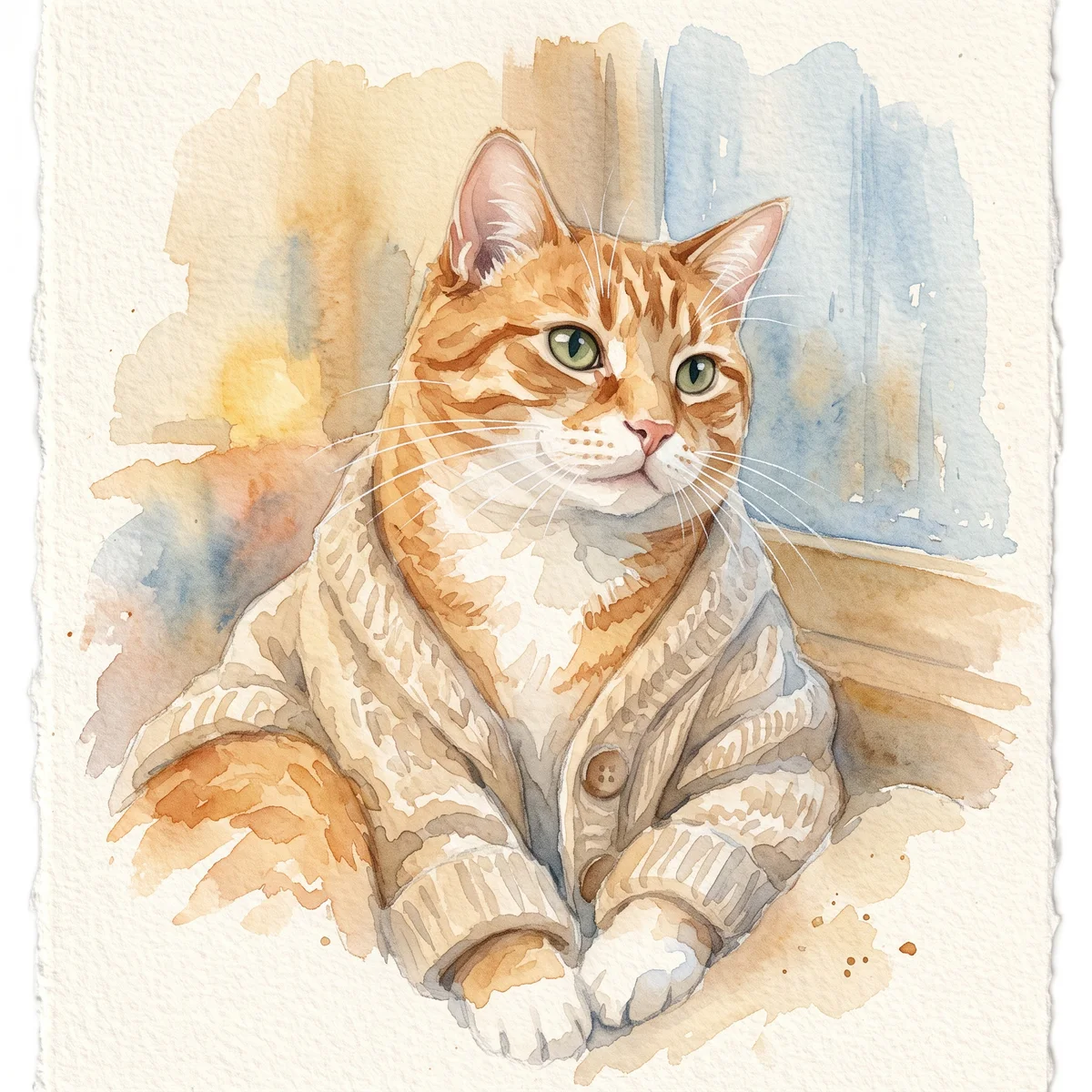
A soft portrait for a small print, keepsake or quiet profile image. Pale washes work best when the face remains the strongest shape in the composition.
Image to image
Compare an artist commission, digital illustration and AI portrait workflow by proofing, revisions and delivery. Create a brief for the method you choose.
Your next useful step
Choose your starting point, edit the instructions, and review the credit quote before generating. Current access conditions are shown in the creator.
Illustrative scenario, not a customer testimonial.
Your request is “keep the uneven ears, remove the busy sofa and use a plain blue background.” Split that into identity, scene and style so the brief can be checked against the result instead of relying on the vague word “custom.”
Watercolor portrait
A soft portrait for a small print, keepsake or quiet profile image. Pale washes work best when the face remains the strongest shape in the composition.
Use even lighting and a plain background. Ask for a restrained palette and leave paper-colored space around the ears; busy scenery can obscure fine whiskers.
Check that watery edges have not erased an eye, merged the ears or moved a distinctive patch. Review at the size you intend to display, then use the print-size calculator if printing.
Upload one to five JPG, PNG or WebP references, each up to 12 MB. Start with a clear face and add another angle only when it explains a marking or body feature.
Say what should change and what should remain: for example, change the setting while keeping the ear shape, eye color and chest patch. Avoid combining an outfit, background, pose and lighting change in the first attempt.
Check the quoted credits before submitting. When the work is ready, compare the face, edges and composition; for video, watch the beginning, middle and end. Download the accepted file from your library before its expiry date.
Image to image
This editable preset guides the model. Review the result before keeping it; a preset is not a guarantee of likeness, exact motion or flawless editing.
Edit the uploaded pet photograph. Soft watercolor pet portrait with visible paper texture. Preserve the pet’s recognizable face, coat markings and proportions. Do not add text or watermarks.Try the other starting point · Text to image →
These are individual tests with licensed photographs or a written prompt. Compare the details before choosing a workflow; each result can differ.
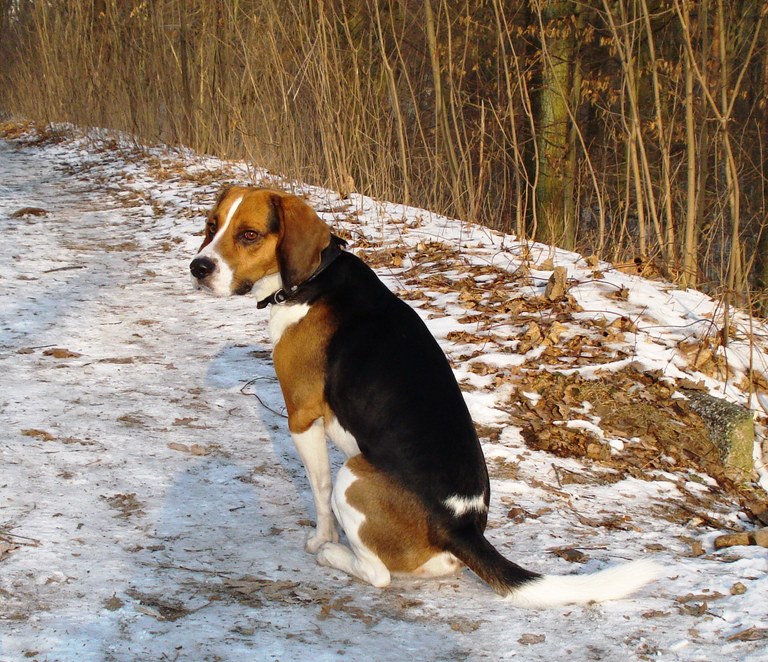
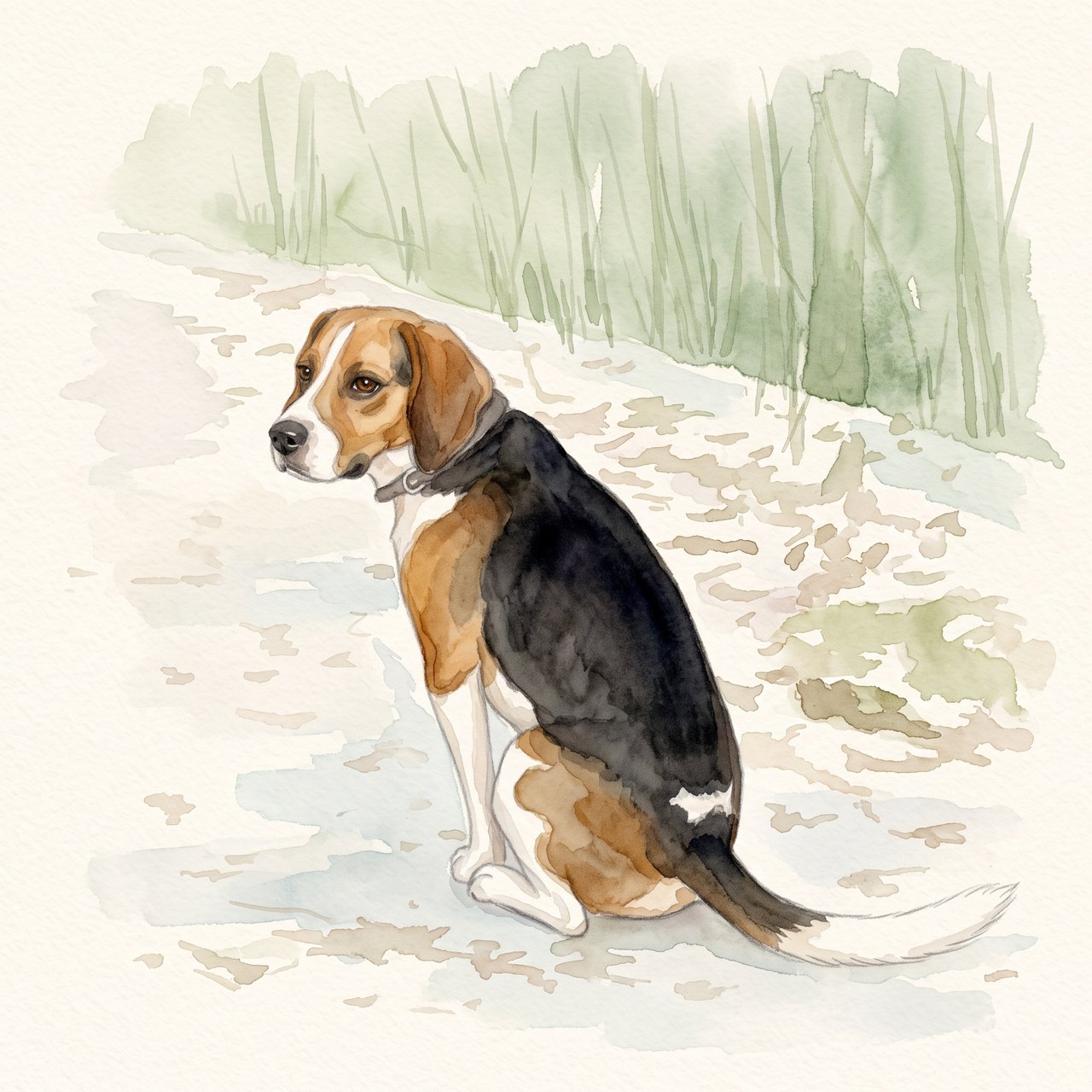
The seated pose, white blaze, dark saddle and white-tipped tail remain recognizable. The face and fur edges are redrawn, and woodland shapes remain despite the request for a plain background. Check these details before using the portrait.
Source photograph: Grzes1966 · CC0-1.0
R07 · 2026-10-14 · fal-ai/nano-banana-2/edit
Create a gentle watercolor portrait from this exact tricolor dog photo. Preserve the white blaze, black saddle, tan ears, white-tipped tail and visible seated pose. Keep the entire existing photo content in view. Use a clean pale cream paper background and soft sage accents. No additional animals, text, clothing, wings, halo, extra limbs or invented props.
Images and videos are compressed for this page. The dimensions shown describe the downloadable original. Video previews use the delivered clip without changing its action or playback speed.
Free previews carry a watermark: images up to 768 px on the long side and videos at 480p. They remain available for 14 days. Original access requires purchased credits when checkout is available; unlocked works are kept for 90 days. Check the actual dimensions and expiry on the completed work.
View pricing and access →Uploads and generated files belong to your private workspace. Generation providers process the material you submit. Sharing is a separate choice; upload only material you have permission to use.
Read the data-handling notice →Upload one to five JPG, PNG or WebP references, each up to 12 MB. Start with a clear face and add another angle only when it explains a marking or body feature.
Check that watery edges have not erased an eye, merged the ears or moved a distinctive patch. Review at the size you intend to display, then use the print-size calculator if printing.
A reference image gives the model information to work from, but distinctive markings, proportions and expressions can change. Text-only creation invents a pet from your description. If exact documentary detail matters, retain the original photo alongside any AI interpretation.
Free previews carry a watermark: images up to 768 px on the long side and videos at 480p. They remain available for 14 days. Original access requires purchased credits when checkout is available; unlocked works are kept for 90 days. Check the actual dimensions and expiry on the completed work.
This editable preset guides the model. Review the result before keeping it; a preset is not a guarantee of likeness, exact motion or flawless editing.
Updated 2026-10-12
“Custom” describes personalization, not how a portrait is made. Before comparing prices, find out whether you are commissioning hand-created work, a digital illustration, a photo edit or an AI-generated interpretation.
Match your intended use and revision needs to an AI workflow or a brief for a chosen artist.
Your entries stay in this browser tab. Download a copy before leaving; this worksheet does not send messages or place orders.
Ask a maker to describe the process and what is included. An artist’s physical painting, a digital file and an AI output can all use your photo, but they involve different production, revision and delivery arrangements. This page does not rank unnamed artists.
Ask whether revisions change the existing work or start a new version, what can be changed, and how approval works. In the studio’s AI workflow, unlocking a saved result retains that result; generating again is a separate request with a new quote.
Write down whether you need an original physical work, a digital master, a print-ready layout or a phone image. Ask for dimensions, format and any rights terms in writing. A rendered frame in a product example is not proof that framing or shipping is included.
Give the maker a main photo and any supporting photos with their roles explained. Keep age and markings consistent. The photo preparation page creates that handoff, while the AI generator begins the supported digital workflow.
Custom pet portrait may mean a painting made by an artist, a digital drawing, a photo composition or an AI-created image. Ask the maker to identify the method in plain language. The choice affects how you communicate changes and what counts as the original work. A digital file and a physical canvas are also different deliverables, regardless of how they were made. Write both method and delivery format in your comparison notes before comparing prices or deciding that two offers are equivalent.
Ask when you can review the likeness, which changes are included, and whether a request to alter the pose or background counts as a new piece. For an AI workflow, check the preview and download conditions shown in that workflow instead of assuming an artist-style revision agreement. For an artist, ask how an approved sketch relates to the final painting. Keep the maker’s actual answer with the date. A general promise of “satisfaction” does not tell you who changes an incorrect ear or what file you receive afterward.
A worked brief could say: “One dog, head and shoulders, vertical display. Keep the white chin and folded right ear. Use the main photograph for age and expression. The second image shows the chest marking only. Digital file required; printing will be arranged separately.” This is an example, not a service order. Add the real size or display use when known. The portrait-from-photo guide helps organize references so the maker does not have to infer which photograph should control the final face.
Open the full file or inspect the physical proof at the intended viewing size. Compare the identity, crop, spelling, file type and dimensions with the agreed brief. Save the approved version and the maker’s delivery description together. If a physical print is still needed, the frame preparation page helps you separate image preparation from the printer’s requirements. If you choose an automated route, AI pet portraits explain the photo-based workflow. Do not mark the work complete merely because a preview has appeared.
No. Ask how the specific product is created and describe that accurately when sharing it.
No. It saves a brief you can take to the maker you choose.
Confirm process, deliverable, revisions, proof approval and the actual seller’s terms.