Prepare your starting material
Choose a photograph that captures the dog's real age and expression. Mention visible grey fur and any identifying scars or ear shapes.
Image to image
Create a quiet dog memorial portrait that keeps the grey muzzle and familiar expression of an older companion. Begin with the photo you want to remember, without adding symbolic decorations by default.
Editable generation prompt in English
Make a faithful painted portrait by tracing the exact photographed senior dog, preserving its three-quarter head angle and gaze direction, open mouth, asymmetric ears, gray muzzle and forehead, facial proportions and original expression. Replace only the surrounding foliage with plain warm cream. Do not turn the head to face the camera or change the pose. Soft restrained paint, accurate facial detail. No wings, halo, rainbow, text or props.Choose a photograph that captures the dog's real age and expression. Mention visible grey fur and any identifying scars or ear shapes.
Compare the muzzle, eyes and proportions. Reject a younger-looking replacement even if the painting is attractive.
This is an AI digital portrait, not a hand-painted commission. Wings, halos and rainbow imagery are included only if you ask for them.
Make a faithful painted portrait by tracing the exact photographed senior dog, preserving its three-quarter head angle and gaze direction, open mouth, asymmetric ears, gray muzzle and forehead, facial proportions and original expression. Replace only the surrounding foliage with plain warm cream. Do not turn the head to face the camera or change the pose. Soft restrained paint, accurate facial detail. No wings, halo, rainbow, text or props.Your next useful step
Choose your starting point, edit the instructions, and review the credit quote before generating. Current access conditions are shown in the creator.
Open the creatorThese finishing tools run in your browser. Choose an original photo or a downloaded result; files selected here are not uploaded.
Illustrative scenario, not a customer testimonial.
A senior dog has grey fur around the muzzle that is missing from its younger photos. Choose the senior reference as the lead and explicitly retain the grey; a more youthful-looking result may be less faithful to the memory you want.
These are individual tests with licensed photographs or a written prompt. Compare the details before choosing a workflow; each result can differ.
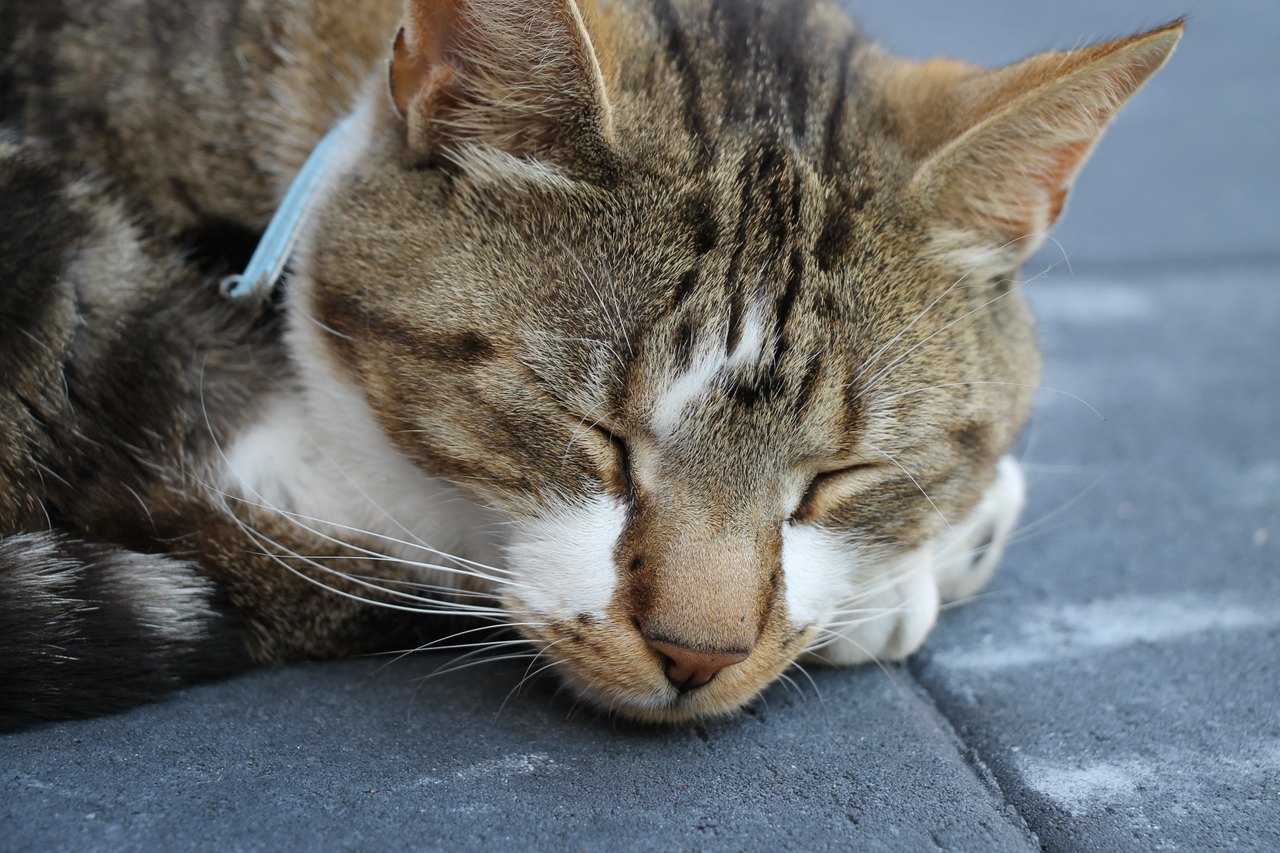
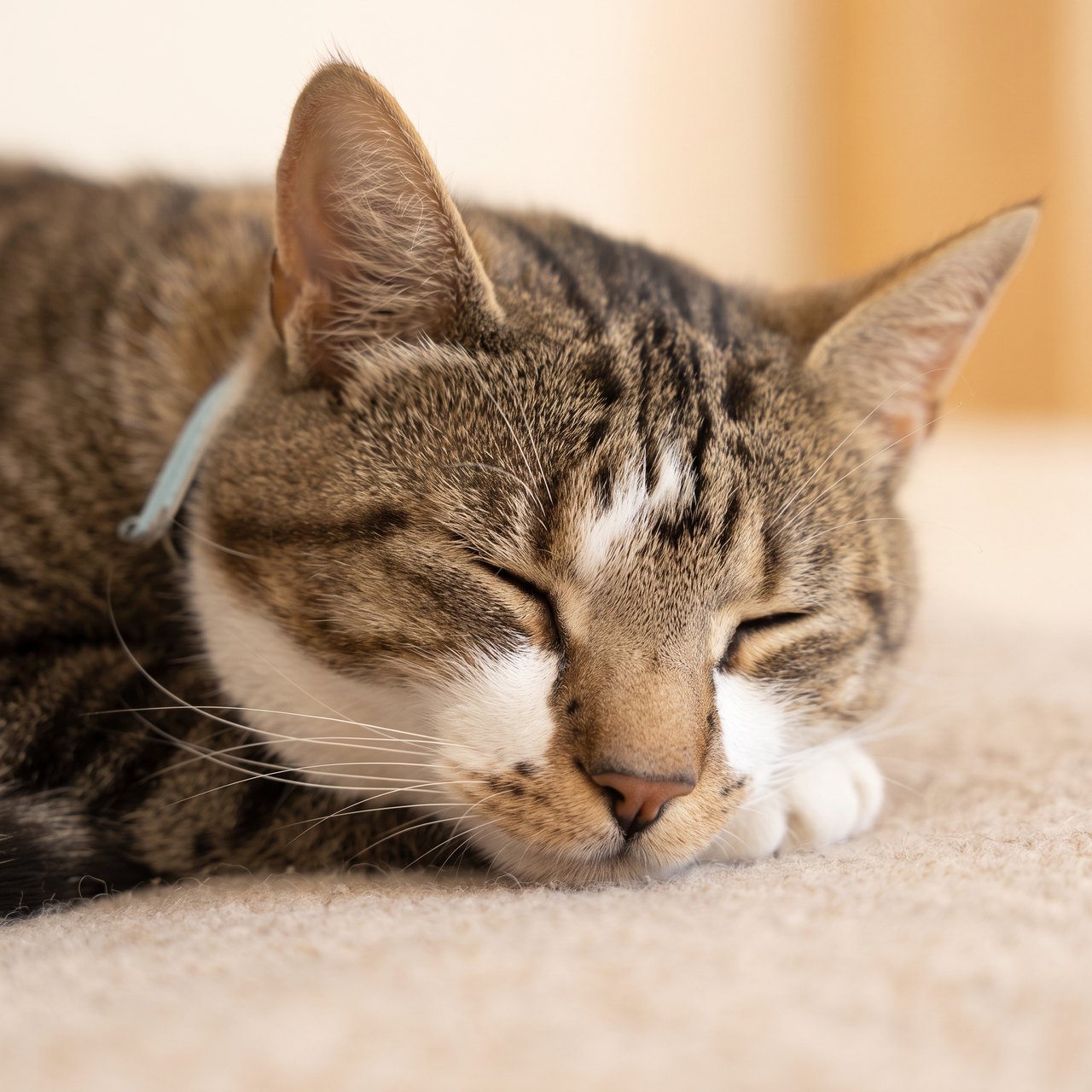
The closed eyes and main coat markings remain recognizable. Fine markings, whiskers and the surface beneath the cat were redrawn; no wings or halos were added. This is a hypothetical memorial test, with no claim about the photographed animal’s life status.
Source photograph: Roy Tanck · CC0-1.0
C04 · 2026-10-13 · fal-ai/nano-banana-2/edit
Make a quiet, restrained commemorative portrait using this exact resting cat as the reference. Preserve the closed eyes, facial proportions, ears, whiskers and visible fur markings. Keep the same natural resting expression and age, with a soft warm neutral background and gentle natural light. No angel wings, halos, rainbow, heavenly scene, candles, flowers, dates, name, text or invented objects. This is a calm artistic portrait, not a restoration of a real event.
Images and videos are compressed for this page. The dimensions shown describe the downloadable original. Video previews use the delivered clip without changing its action or playback speed.
Free previews carry a watermark: images up to 768 px on the long side and videos at 480p. They remain available for 14 days. Original access requires purchased credits when checkout is available; unlocked works are kept for 90 days. Check the actual dimensions and expiry on the completed work.
Uploads and generated files belong to your private workspace. Generation providers process the material you submit. Sharing is a separate choice; upload only material you have permission to use.
This is an AI digital portrait, not a hand-painted commission. Wings, halos and rainbow imagery are included only if you ask for them.
This editable preset guides the model. Review the result before keeping it; a preset is not a guarantee of likeness, exact motion or flawless editing.
Updated 2026-10-12
A dog memorial portrait can preserve a face at a particular age: the dark muzzle from puppyhood, the grey chin from later years, or a relaxed expression from a favorite walk. Choose that age and expression first. A breed description alone will not tell a model which details belong to your dog.
The tool above uses dog profiles and the natural memorial style. Add a dog profile if none is available, then compare the preview with the exact reference you selected.
If your reference photos span many years, identify the one that should guide the portrait. Combining a puppy photo with an older face without explaining the choice can make the result harder to judge.
You might write: “Use the relaxed face from the garden photo. Keep the grey chin visible. The side-view photo is only a reference for the ear shape.” This is an invented example of a request, not a customer result.
Do not add a detail because it is typical of the breed. A particular bent ear or white toe matters when it is actually present in your photos.
| Detail | Useful reference | What to compare afterward |
|---|---|---|
| Muzzle | A clear side or three-quarter view | Length, width and the line around the mouth |
| Ears | A photo with the whole ear visible | Upright, folded or hanging shape; which side differs |
| Chest marking | A front view including the neck | Patch size and how it meets the surrounding coat |
| Senior coat | The age you want represented | Grey or white areas around the chin and eyes |
For a dark-coated dog, choose a photo where you can already see the eyes and the edge of the muzzle. A bright background can leave the face difficult to read. An image with hidden facial detail may produce a more definite-looking face without proving that it is accurate.
Keep collars or tags only when they are part of the composition you want. The model can interpret small lettering unpredictably; place written names on a card instead.
Begin at a comfortable viewing size. Look at the outline of the head, then at the eyes and mouth. A dramatic background should not distract from a wrong muzzle or an unfamiliar smile.
Check both sides of the face. Uneven ear folds and coat markings can be important, and an apparently balanced picture may have changed them. If a leg or paw appears, inspect its shape as well.
A natural memorial portrait does not require wings or a halo. The Rainbow Bridge style is a separate choice with a meadow and subtle rainbow. Ask the recipient before choosing that setting as a gift.
A close head portrait and a wider seated portrait have different crops. Before choosing 5×7 or 8×10 paper, check whether the ears and chest marking still fit.
The saved original's dimensions determine the available pixels. Use the print calculator on the general portrait page and ask your printer about the chosen layout. A PDF export fits the artwork on paper; it does not restore missing detail.
The free preview is watermarked, with a longest side of at most 768 pixels. Paid generation or unlocking a single portrait uses 10 purchased credits. The saved original, PNG and print layouts are then available on the work page.
Keep the original references beside the final artwork and note which age you chose. Free works are retained for 14 days; unlocked works for 90 days from unlocking. Download before the displayed expiry date.
For a portrait involving several dogs, the pet family tool uses separate pet profiles. Keep this page's single-dog workflow for a portrait where one face is the subject.
A tight face crop may remove the end of the nose, the lower jaw or the base of a long ear. Start with a photograph that contains the whole head, then decide the crop for the finished portrait. With a long muzzle, a slightly turned view may show its shape more clearly than a head-on view. With folded ears, label which folds are real. Use the dog’s actual outline as the reference; a breed name alone cannot specify the individual you remember.
White fur around the mouth can be part of the likeness rather than a defect to remove. Make an explicit note if the older face matters. If your supporting image is from puppyhood, mark it as a reference for a particular feature only; otherwise you may compare the finished image against two incompatible ages. A useful imagined correction is “restore the white muzzle and keep the heavier lower eyelids,” rather than “make it more realistic.” The specific note gives you something you can inspect again.
If the eyes disappear into shadow, choose an additional well-lit photograph that shows their position. Do not treat a brighter screen setting as evidence that the original image contains more detail. In the finished portrait, check that a black coat has not become brown simply to create contrast, and that a small white chest patch has not expanded. For a more systematic comparison, the AI dog portrait review separates muzzle, ears, coat and pose into individual checks.
A head portrait can work with a clear face reference. A portrait of a dog standing on a familiar path also needs evidence for body shape and pose; a single close-up leaves those parts to interpretation. If the original walk itself matters, preserve the real photograph or recording alongside the new artwork. The dog memorial record helps keep that source material, while the collar frame worksheet is useful when an original collar is the object you most want to display.
You can supply both, but state which age should lead. Use the second image to clarify a feature rather than asking the model to merge ages without direction.
It can describe the general animal. Your dog's actual reference photos are what let you check individual features, and the result still needs review.
The natural portrait does not typeset a name. Use the card tool for written words or add a name in a separate print layout you control.