Made for this idea
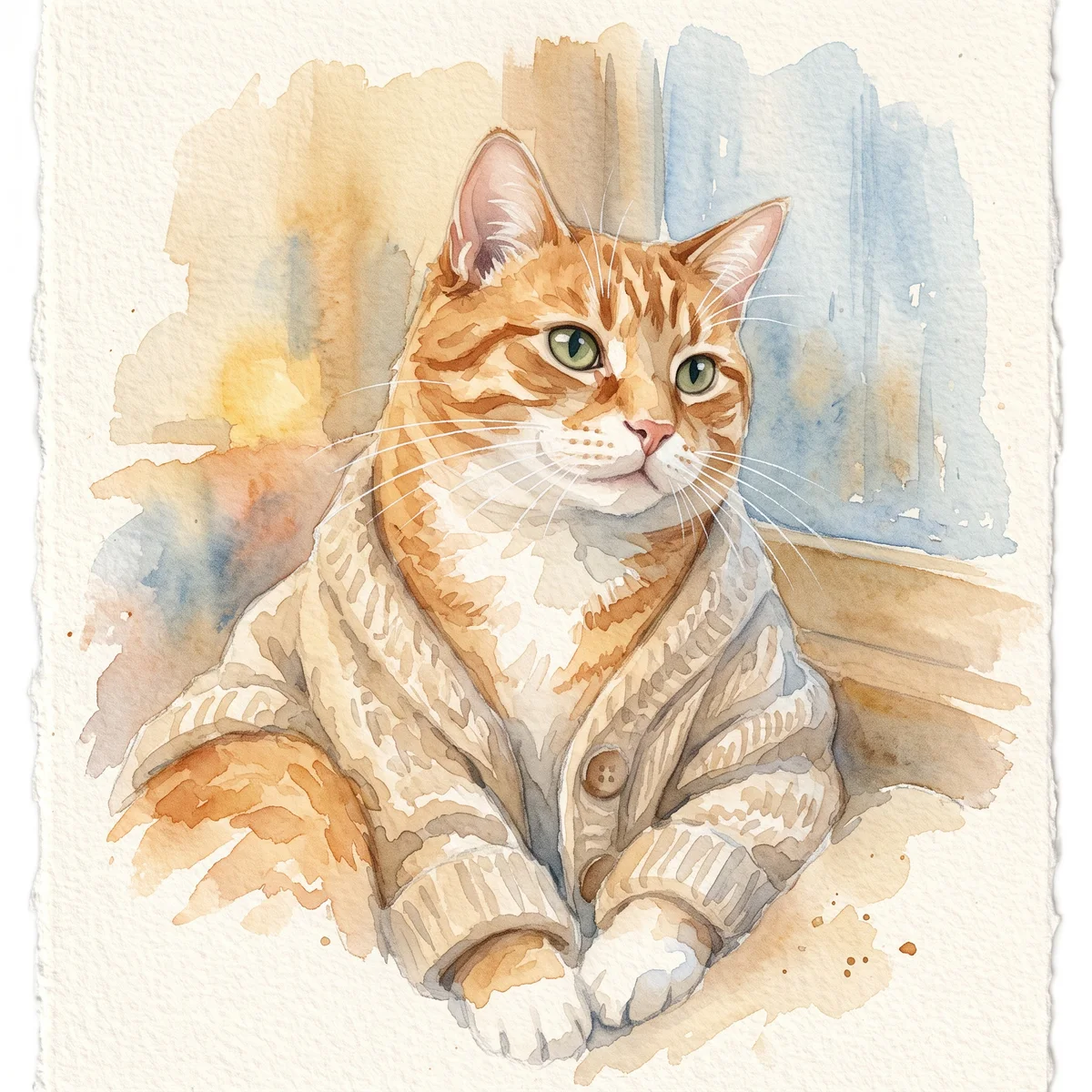
A soft portrait for a small print, keepsake or quiet profile image. Pale washes work best when the face remains the strongest shape in the composition.
Image to image
Inspect an AI dog portrait against the original photo. Record changed muzzle shape, ear length, senior fur or chest patches in a usable correction note.
Your next useful step
Choose your starting point, edit the instructions, and review the credit quote before generating. Current access conditions are shown in the creator.
Illustrative scenario, not a customer testimonial.
The dog has a folded left ear and a straight right ear. Describe that asymmetry from the viewer’s perspective and compare the output at equal size; a generic breed-perfect portrait can still miss this dog’s defining trait.
Watercolor portrait
A soft portrait for a small print, keepsake or quiet profile image. Pale washes work best when the face remains the strongest shape in the composition.
Use even lighting and a plain background. Ask for a restrained palette and leave paper-colored space around the ears; busy scenery can obscure fine whiskers.
Check that watery edges have not erased an eye, merged the ears or moved a distinctive patch. Review at the size you intend to display, then use the print-size calculator if printing.
Upload one to five JPG, PNG or WebP references, each up to 12 MB. Start with a clear face and add another angle only when it explains a marking or body feature.
Say what should change and what should remain: for example, change the setting while keeping the ear shape, eye color and chest patch. Avoid combining an outfit, background, pose and lighting change in the first attempt.
Check the quoted credits before submitting. When the work is ready, compare the face, edges and composition; for video, watch the beginning, middle and end. Download the accepted file from your library before its expiry date.
Image to image
This editable preset guides the model. Review the result before keeping it; a preset is not a guarantee of likeness, exact motion or flawless editing.
Edit the uploaded pet photograph. Soft watercolor pet portrait with visible paper texture. Preserve the pet’s recognizable face, coat markings and proportions. Do not add text or watermarks.Try the other starting point · Text to image →
These are individual tests with licensed photographs or a written prompt. Compare the details before choosing a workflow; each result can differ.
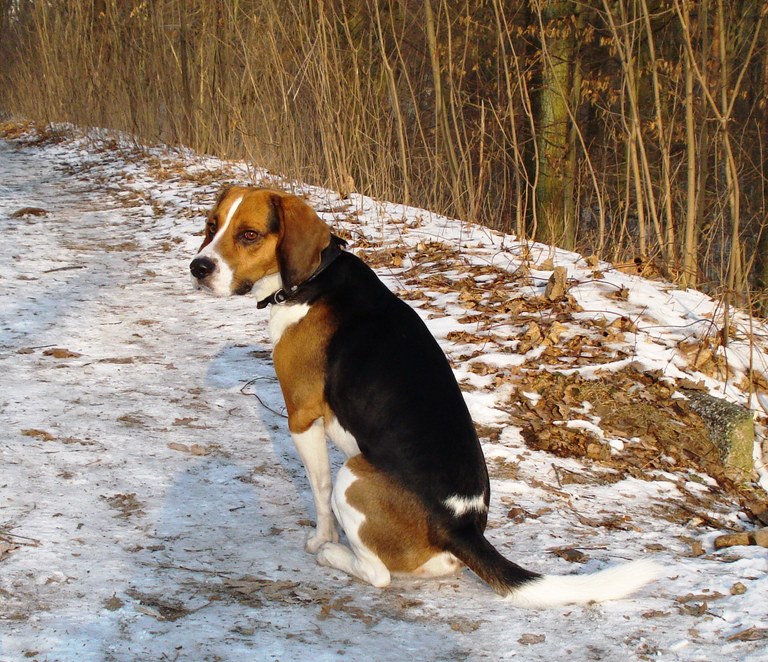
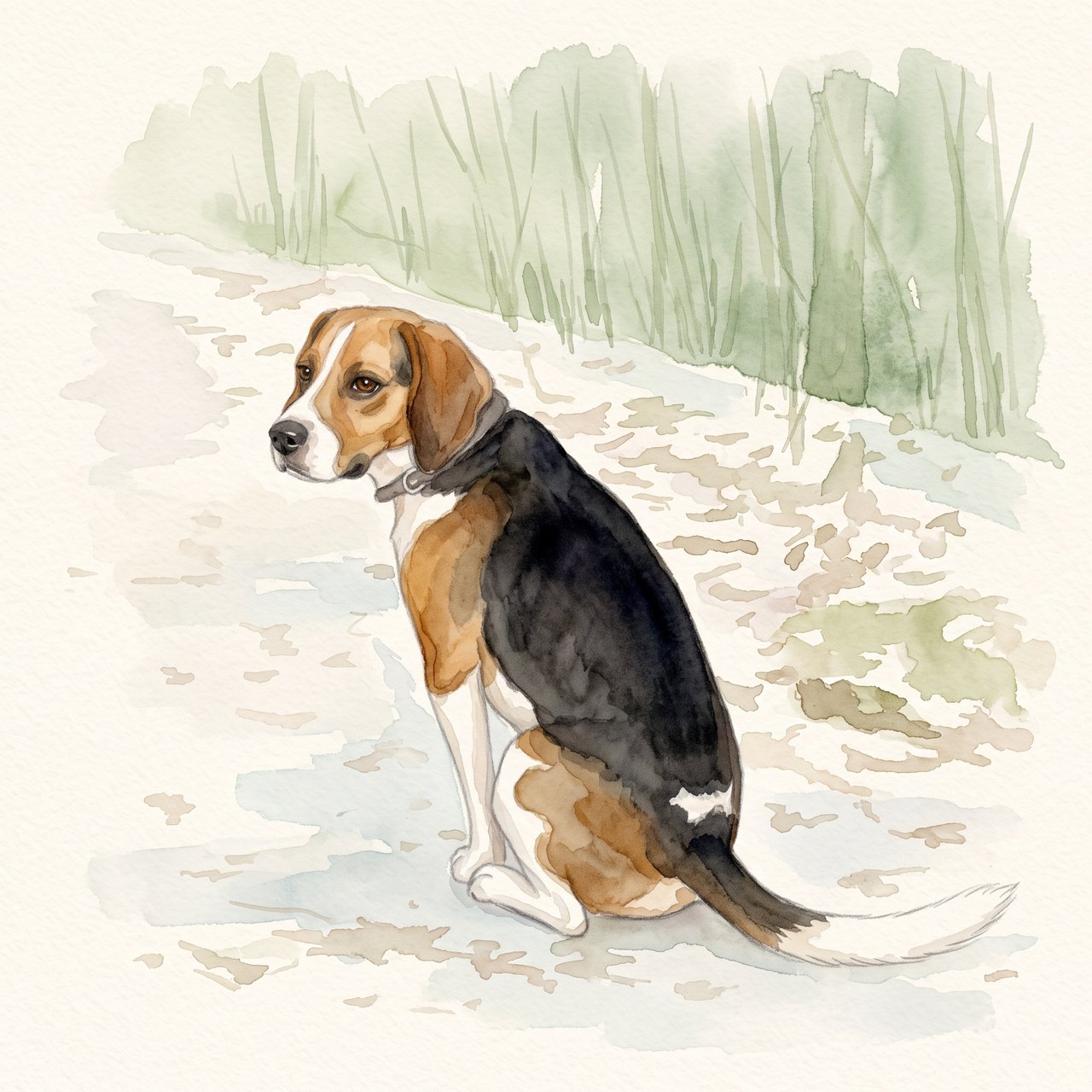
The seated pose, white blaze, dark saddle and white-tipped tail remain recognizable. The face and fur edges are redrawn, and woodland shapes remain despite the request for a plain background. Check these details before using the portrait.
Source photograph: Grzes1966 · CC0-1.0
R07 · 2026-10-14 · fal-ai/nano-banana-2/edit
Create a gentle watercolor portrait from this exact tricolor dog photo. Preserve the white blaze, black saddle, tan ears, white-tipped tail and visible seated pose. Keep the entire existing photo content in view. Use a clean pale cream paper background and soft sage accents. No additional animals, text, clothing, wings, halo, extra limbs or invented props.
Images and videos are compressed for this page. The dimensions shown describe the downloadable original. Video previews use the delivered clip without changing its action or playback speed.
Free previews carry a watermark: images up to 768 px on the long side and videos at 480p. They remain available for 14 days. Original access requires purchased credits when checkout is available; unlocked works are kept for 90 days. Check the actual dimensions and expiry on the completed work.
View pricing and access →Uploads and generated files belong to your private workspace. Generation providers process the material you submit. Sharing is a separate choice; upload only material you have permission to use.
Read the data-handling notice →Upload one to five JPG, PNG or WebP references, each up to 12 MB. Start with a clear face and add another angle only when it explains a marking or body feature.
Check that watery edges have not erased an eye, merged the ears or moved a distinctive patch. Review at the size you intend to display, then use the print-size calculator if printing.
A reference image gives the model information to work from, but distinctive markings, proportions and expressions can change. Text-only creation invents a pet from your description. If exact documentary detail matters, retain the original photo alongside any AI interpretation.
Free previews carry a watermark: images up to 768 px on the long side and videos at 480p. They remain available for 14 days. Original access requires purchased credits when checkout is available; unlocked works are kept for 90 days. Check the actual dimensions and expiry on the completed work.
This editable preset guides the model. Review the result before keeping it; a preset is not a guarantee of likeness, exact motion or flawless editing.
Updated 2026-10-12
For a dog portrait, familiar identity often lives in a few small features: the shape of the muzzle, how an ear folds, or a patch of gray around the nose. Review those features before judging the overall style.
Compare source and result at a similar head size, recording ears, muzzle and asymmetric markings.
Your entries stay in this browser tab. Download a copy before leaving; this worksheet does not send messages or place orders.
Open your own source and result side by side. Files stay on this device. Images: JPEG, PNG or WebP up to 12 MB / 40 MP. Video: MP4 or WebM up to 150 MB.
Compare its length, width and transition into the forehead. Look at the nose outline and the position of the mouth. A plausible dog face can still belong to a different-looking dog.
For floppy ears, check the fold and length rather than just whether an ear is present. For upright ears, inspect spacing and the tips. A costume should not make these features impossible to compare unless that change was intentional.
Record senior white fur, chest patches and asymmetric markings. Do not call removed gray fur a repair unless you explicitly wanted a younger portrayal. Confirm any change in collar or tag separately from the coat.
Use concrete phrases such as “retain the white patch on the dog’s left chest” rather than “make it more like him.” Save the source and result filenames with the note. Return to the dog portrait workflow when you have a clear change to request.
For an AI dog portrait, compare the length and width of the muzzle before admiring the painting effect. Check the nose, lower jaw and the angle between the forehead and mouth. A change in those proportions can make the dog feel unfamiliar even when the coat color matches. Review the ears next, including their length, fold and position. Use a reference that shows those features clearly; if it does not, write down the uncertainty instead of trying to score a detail you cannot verify.
A gray muzzle, pale eyebrows or a small white chest patch may be central to this dog’s identity. Record age-related features separately from the general coat color so they are not treated as noise to remove. Compare the location and size of markings, not just whether a similar color appears somewhere. The dog memorial portrait guide is useful when a particular older appearance matters. For an everyday image, the same inspection can preserve the chosen age without adding memorial imagery.
An illustrative review might say: “Keep the seated pose and plain background. The original’s right ear folds inward; the output has two upright ears. Restore the fold without changing the muzzle.” This avoids asking for a completely new image when one feature is the issue. Save the source, candidate and correction together. If the next candidate changes a previously correct feature, record that too. The purpose is to make your decision traceable, not to accumulate an unlimited set of near-identical previews.
Once the likeness is acceptable, open the actual download and check the crop. Preserve a full version before preparing a dog wallpaper or transparent sticker. If the input itself is unsuitable, return to the dog portrait input guide. A sticker crop can hide a bad paw and a wallpaper crop can hide an ear, but hiding a problem does not make the underlying portrait a faithful full-body image. Describe the final asset according to the part you actually reviewed.
No. The worksheet concerns visible individual features, not breed identification.
Mark that detail uncertain and look for a better reference before asserting it is wrong.
No. Unlocking gives access to the saved original result; it does not modify the portrait.