Made for this idea
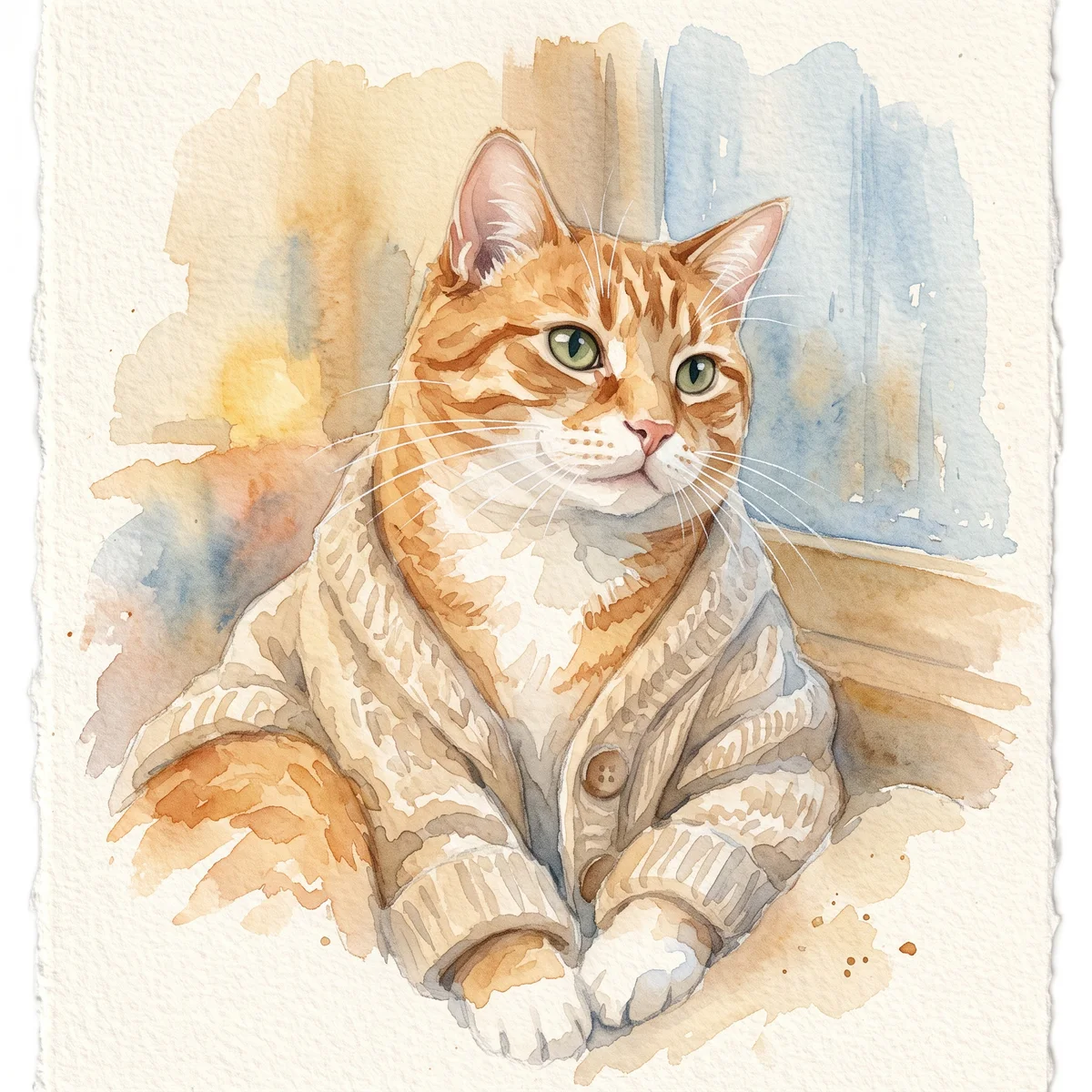
A soft portrait for a small print, keepsake or quiet profile image. Pale washes work best when the face remains the strongest shape in the composition.
Image to image
Create a dog portrait from your own photo. Choose a style, select a dog profile, and review muzzle shape, ear position and familiar coat markings.
Your next useful step
Choose your starting point, edit the instructions, and review the credit quote before generating. Current access conditions are shown in the creator.
Open the creatorIllustrative scenario, not a customer testimonial.
A dark-coated dog’s eyes disappear in a low-light screenshot. Use the original brighter photo if available and ask to retain the muzzle length; increasing brightness in the prompt cannot establish details absent from every reference.
Watercolor portrait
A soft portrait for a small print, keepsake or quiet profile image. Pale washes work best when the face remains the strongest shape in the composition.
Use even lighting and a plain background. Ask for a restrained palette and leave paper-colored space around the ears; busy scenery can obscure fine whiskers.
Check that watery edges have not erased an eye, merged the ears or moved a distinctive patch. Review at the size you intend to display, then use the print-size calculator if printing.
Upload one to five JPG, PNG or WebP references, each up to 12 MB. Start with a clear face and add another angle only when it explains a marking or body feature.
Say what should change and what should remain: for example, change the setting while keeping the ear shape, eye color and chest patch. Avoid combining an outfit, background, pose and lighting change in the first attempt.
Check the quoted credits before submitting. When the work is ready, compare the face, edges and composition; for video, watch the beginning, middle and end. Download the accepted file from your library before its expiry date.
Image to image
This editable preset guides the model. Review the result before keeping it; a preset is not a guarantee of likeness, exact motion or flawless editing.
Edit the uploaded pet photograph. Soft watercolor pet portrait with visible paper texture. Preserve the pet’s recognizable face, coat markings and proportions. Do not add text or watermarks.Try the other starting point · Text to image →
These are individual tests with licensed photographs or a written prompt. Compare the details before choosing a workflow; each result can differ.
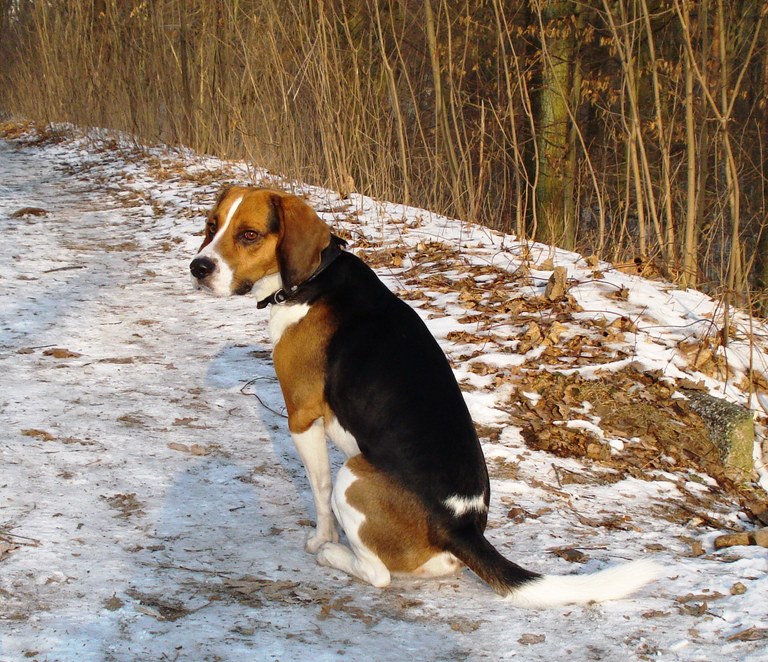
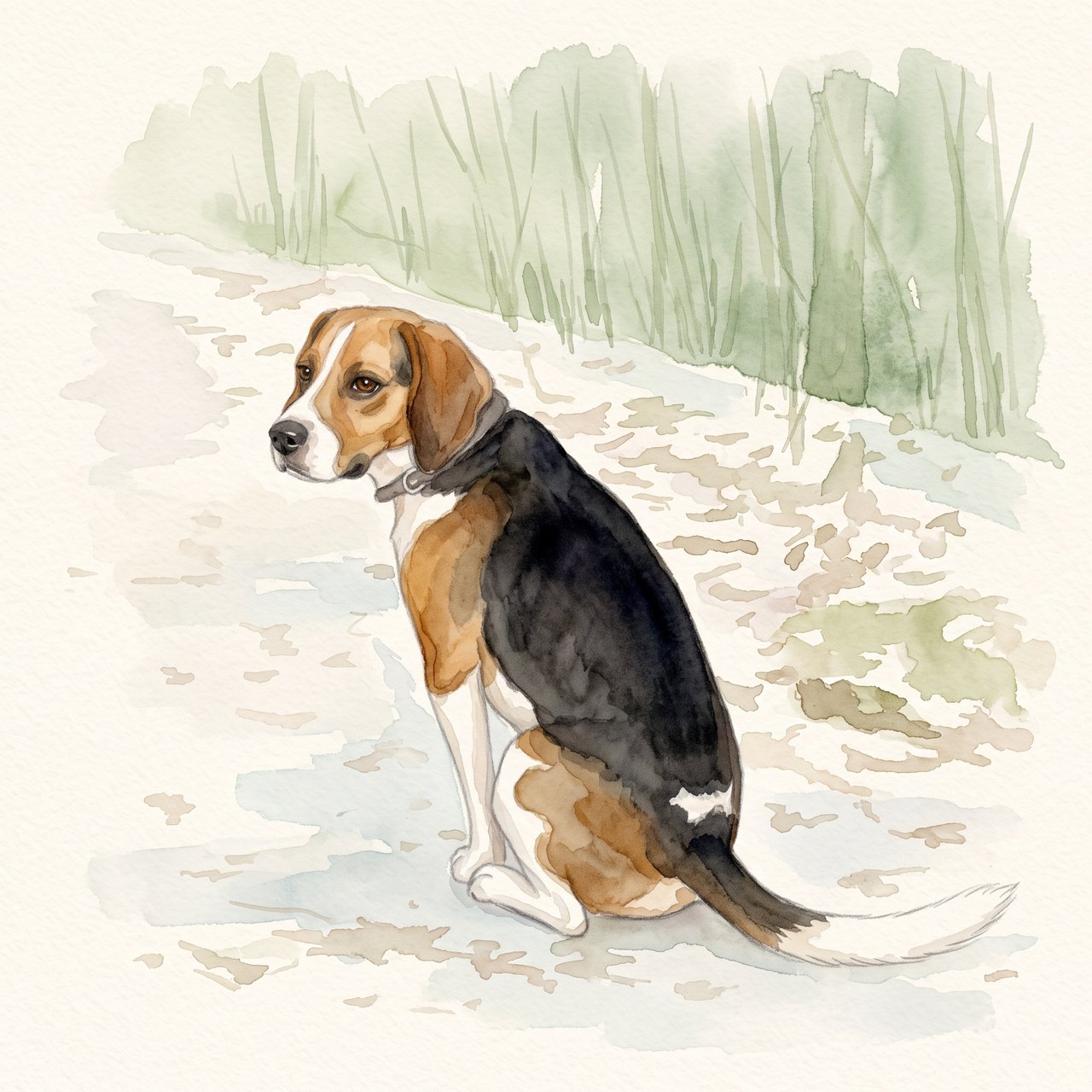
The seated pose, white blaze, dark saddle and white-tipped tail remain recognizable. The face and fur edges are redrawn, and woodland shapes remain despite the request for a plain background. Check these details before using the portrait.
Source photograph: Grzes1966 · CC0-1.0
R07 · 2026-10-14 · fal-ai/nano-banana-2/edit
Create a gentle watercolor portrait from this exact tricolor dog photo. Preserve the white blaze, black saddle, tan ears, white-tipped tail and visible seated pose. Keep the entire existing photo content in view. Use a clean pale cream paper background and soft sage accents. No additional animals, text, clothing, wings, halo, extra limbs or invented props.
Images and videos are compressed for this page. The dimensions shown describe the downloadable original. Video previews use the delivered clip without changing its action or playback speed.
Free previews carry a watermark: images up to 768 px on the long side and videos at 480p. They remain available for 14 days. Original access requires purchased credits when checkout is available; unlocked works are kept for 90 days. Check the actual dimensions and expiry on the completed work.
View pricing and access →Uploads and generated files belong to your private workspace. Generation providers process the material you submit. Sharing is a separate choice; upload only material you have permission to use.
Read the data-handling notice →Upload one to five JPG, PNG or WebP references, each up to 12 MB. Start with a clear face and add another angle only when it explains a marking or body feature.
Check that watery edges have not erased an eye, merged the ears or moved a distinctive patch. Review at the size you intend to display, then use the print-size calculator if printing.
A reference image gives the model information to work from, but distinctive markings, proportions and expressions can change. Text-only creation invents a pet from your description. If exact documentary detail matters, retain the original photo alongside any AI interpretation.
Free previews carry a watermark: images up to 768 px on the long side and videos at 480p. They remain available for 14 days. Original access requires purchased credits when checkout is available; unlocked works are kept for 90 days. Check the actual dimensions and expiry on the completed work.
This editable preset guides the model. Review the result before keeping it; a preset is not a guarantee of likeness, exact motion or flawless editing.
Updated 2026-10-12
A dog portrait from a photo should keep more than the breed. The length of the muzzle, a bent ear, a white chest patch or an older dog's gray face may matter more than the costume or background. This workspace filters for dog profiles and offers a small set of everyday portrait styles.
Pick a picture with the nose in focus and enough space around the ears. A very close wide-angle photo can make the nose look larger than the rest of the head. If that is the only picture available, keep the perspective in mind when judging the result.
For a full-body portrait, use a reference that actually shows the body. A headshot does not document leg length, tail position or markings hidden behind furniture.
Do not mix a young puppy's shape with an adult dog's recent coat unless you want a creative age interpretation. An old dog's gray muzzle is a recognizable feature, not automatically something to remove.
Add a short preference about a detail that is visible in the source. For example: retain the uneven ear tips and the gray fur around the nose. There is no need to invent a detailed story to request a portrait.
Storybook keeps the animal in an illustrated setting. Plush turns its features into a soft object. A royal pet portrait adds a costume and formal composition. Garden art changes the surroundings.
After changing the style, review the head before the background. A consistent palette is not evidence that the portrait depicts the same dog. Use the dog identity review to save your observations.
Download the saved original before it expires. If the destination is a phone, use the wallpaper editor to leave room for the clock and controls. If it is a print, check the actual pixel dimensions against the required paper size.
Do not stretch a square picture to fill a tall screen. Crop a copy or fit the whole image with a background instead.
For a dog portrait from photo, decide whether the remembered pose matters. A seated dog with a tilted head carries different information from a standing side view. Keep that pose as the main reference when possible. If you want the body repositioned, provide a photograph that shows the body and explain which details must remain. A close face crop alone cannot establish leg length, chest shape or tail carriage. The dog input checker helps separate visible information from what a new pose would require.
A nose close to a phone camera may dominate the frame, while a cropped ear may disappear entirely. Choose a reference whose proportions look like the dog you know. Do not assume that a generator can infer the intended proportions from an extreme close-up. If that close-up is the image you love, preserve it as a photograph and use a second image for a more conventional portrait. These are composition choices, not rules about what kinds of dogs make good subjects.
Imagine a birthday portrait based on a dog sitting by a front door. You could keep the seated body and face, remove the house number, and use a simple background in the recipient’s preferred color. State whether the collar stays and whether the ears must remain fully inside the frame. The example combines a real reference with a new design choice; it is not a documentary image of another location. For a costume interpretation, the royal portrait guide adds specific checks for clothing around the neck and chest.
Review the muzzle length, nose shape, ear folds, eye spacing and chest markings against the reference. Then view the file at the size it will be used. A dog that looks recognizable enlarged may lose its expression in a tiny crop. Save the full image and make a separate copy for a dog wallpaper or small gift. If the face changes during generation, the AI dog portrait review helps write a focused correction before you prepare any print or device crop.
This page lists dog profiles. The cat portrait tool has its own photo notes and selection.
Small objects and lettering can change. Treat a readable name tag as a detail to verify, not a guaranteed transcription.
Yes. The dog memorial portrait workflow uses a restrained memorial brief. The ordinary portrait page does not require a memorial story.
Keep a dog portrait from the photo that best documents the features you want remembered.