Made for this idea
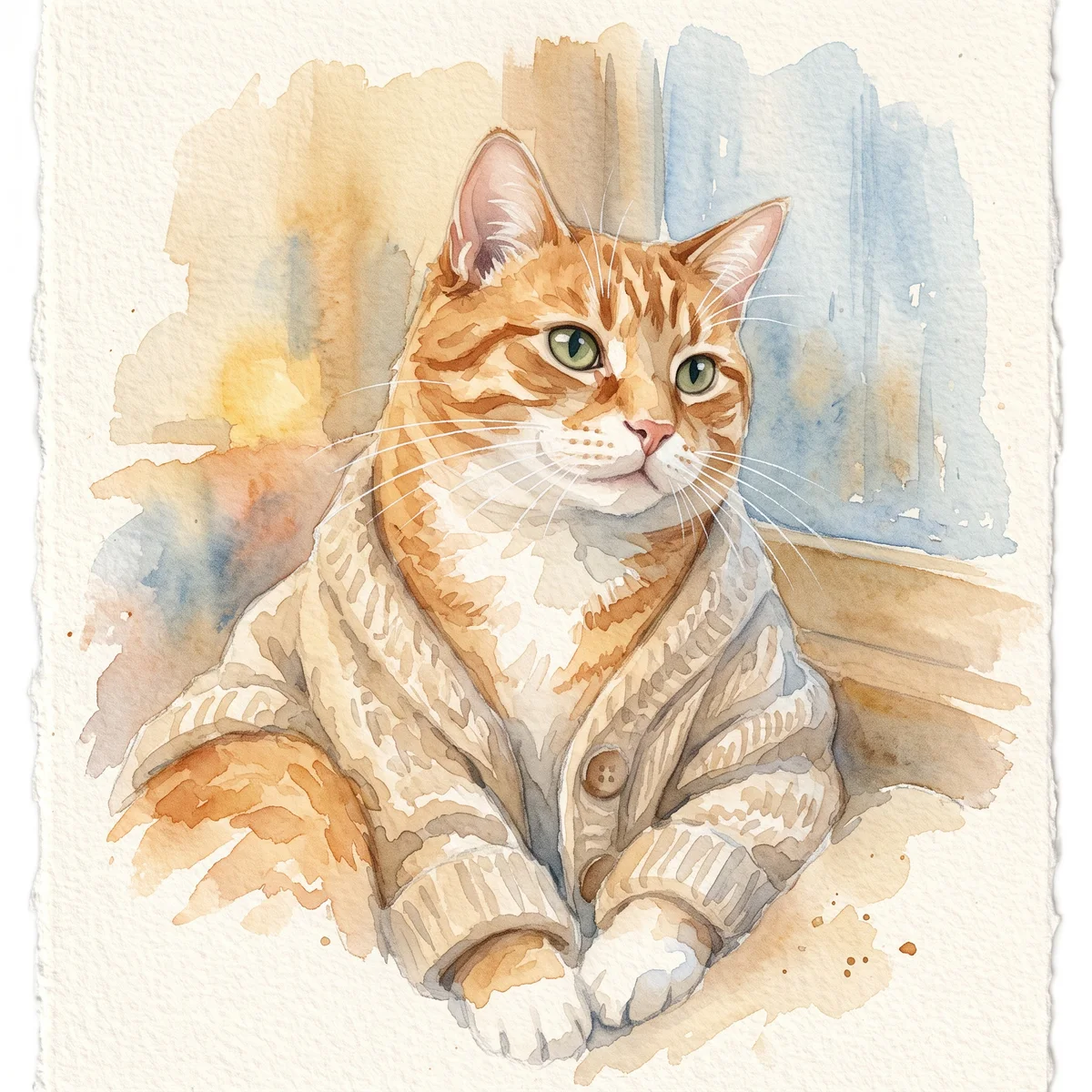
A soft portrait for a small print, keepsake or quiet profile image. Pale washes work best when the face remains the strongest shape in the composition.
Image to image
Review a dog photo’s visible face, age, pose and original resolution. Save a reference check, then continue to a dog portrait generator with clear inputs.
Your next useful step
Choose your starting point, edit the instructions, and review the credit quote before generating. Current access conditions are shown in the creator.
Illustrative scenario, not a customer testimonial.
Before uploading, check that the dog’s eyes, ear tips and muzzle are visible in at least one reference. If an identifying feature is hidden everywhere, mark it as uncertain instead of expecting the breed name to fill it correctly.
Watercolor portrait
A soft portrait for a small print, keepsake or quiet profile image. Pale washes work best when the face remains the strongest shape in the composition.
Use even lighting and a plain background. Ask for a restrained palette and leave paper-colored space around the ears; busy scenery can obscure fine whiskers.
Check that watery edges have not erased an eye, merged the ears or moved a distinctive patch. Review at the size you intend to display, then use the print-size calculator if printing.
Upload one to five JPG, PNG or WebP references, each up to 12 MB. Start with a clear face and add another angle only when it explains a marking or body feature.
Say what should change and what should remain: for example, change the setting while keeping the ear shape, eye color and chest patch. Avoid combining an outfit, background, pose and lighting change in the first attempt.
Check the quoted credits before submitting. When the work is ready, compare the face, edges and composition; for video, watch the beginning, middle and end. Download the accepted file from your library before its expiry date.
Image to image
This editable preset guides the model. Review the result before keeping it; a preset is not a guarantee of likeness, exact motion or flawless editing.
Edit the uploaded pet photograph. Soft watercolor pet portrait with visible paper texture. Preserve the pet’s recognizable face, coat markings and proportions. Do not add text or watermarks.Try the other starting point · Text to image →
These are individual tests with licensed photographs or a written prompt. Compare the details before choosing a workflow; each result can differ.
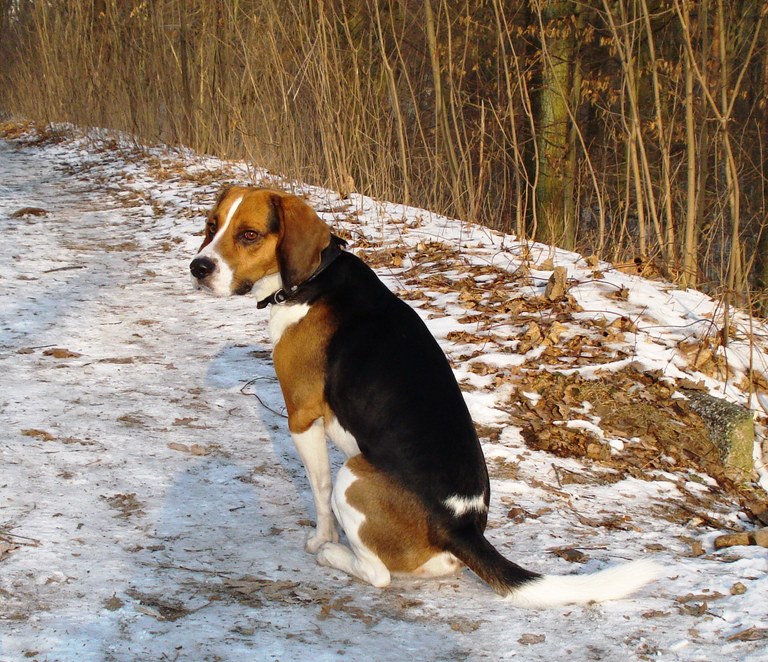
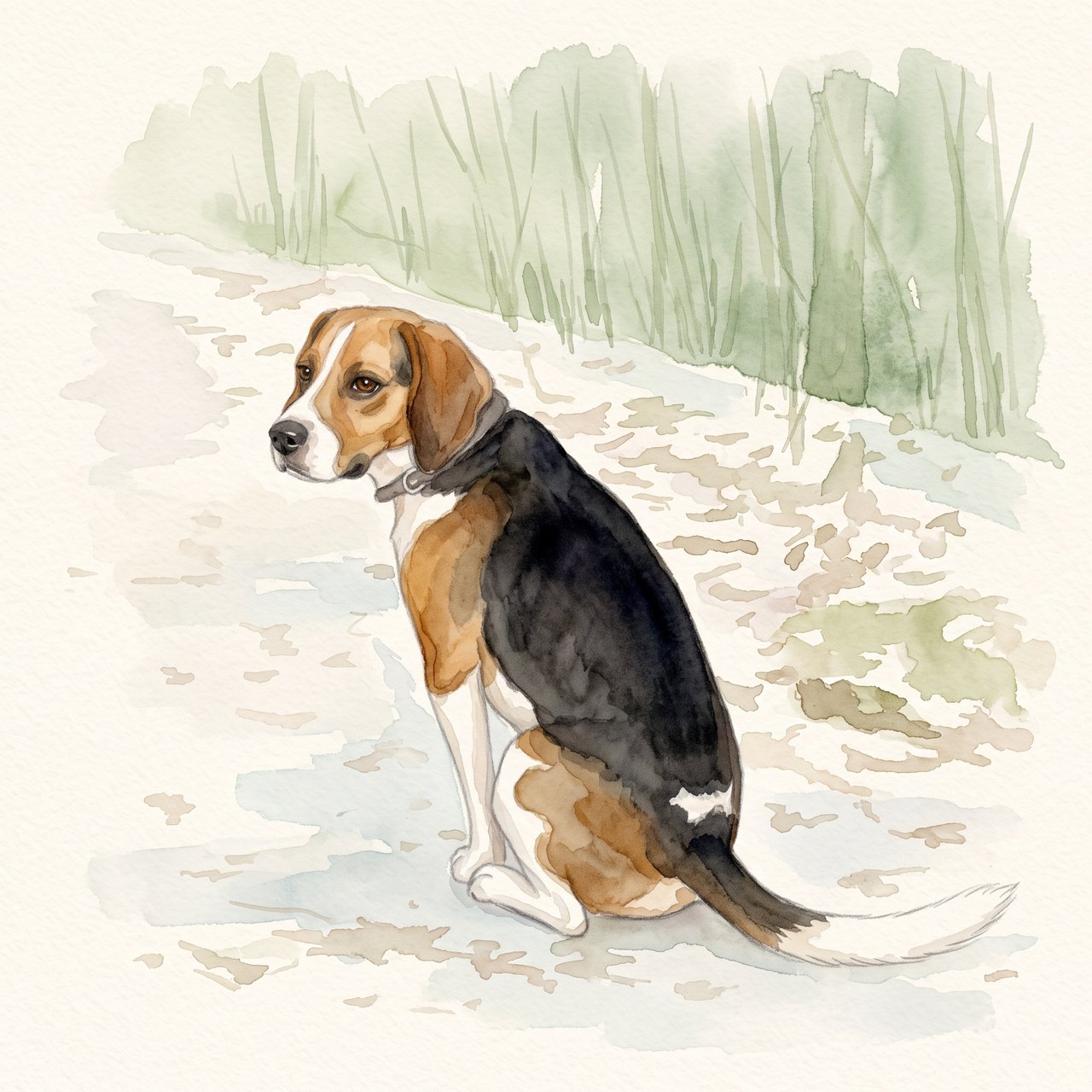
The seated pose, white blaze, dark saddle and white-tipped tail remain recognizable. The face and fur edges are redrawn, and woodland shapes remain despite the request for a plain background. Check these details before using the portrait.
Source photograph: Grzes1966 · CC0-1.0
R07 · 2026-10-14 · fal-ai/nano-banana-2/edit
Create a gentle watercolor portrait from this exact tricolor dog photo. Preserve the white blaze, black saddle, tan ears, white-tipped tail and visible seated pose. Keep the entire existing photo content in view. Use a clean pale cream paper background and soft sage accents. No additional animals, text, clothing, wings, halo, extra limbs or invented props.
Images and videos are compressed for this page. The dimensions shown describe the downloadable original. Video previews use the delivered clip without changing its action or playback speed.
Free previews carry a watermark: images up to 768 px on the long side and videos at 480p. They remain available for 14 days. Original access requires purchased credits when checkout is available; unlocked works are kept for 90 days. Check the actual dimensions and expiry on the completed work.
View pricing and access →Uploads and generated files belong to your private workspace. Generation providers process the material you submit. Sharing is a separate choice; upload only material you have permission to use.
Read the data-handling notice →Upload one to five JPG, PNG or WebP references, each up to 12 MB. Start with a clear face and add another angle only when it explains a marking or body feature.
Check that watery edges have not erased an eye, merged the ears or moved a distinctive patch. Review at the size you intend to display, then use the print-size calculator if printing.
A reference image gives the model information to work from, but distinctive markings, proportions and expressions can change. Text-only creation invents a pet from your description. If exact documentary detail matters, retain the original photo alongside any AI interpretation.
Free previews carry a watermark: images up to 768 px on the long side and videos at 480p. They remain available for 14 days. Original access requires purchased credits when checkout is available; unlocked works are kept for 90 days. Check the actual dimensions and expiry on the completed work.
This editable preset guides the model. Review the result before keeping it; a preset is not a guarantee of likeness, exact motion or flawless editing.
Updated 2026-10-12
The most useful preparation for a dog portrait generator is knowing what the reference actually shows. Check the photo before choosing a style so you can describe its limits as well as its strengths.
Record the photo’s age, pose and visible features so a new request begins with a usable reference.
Your entries stay in this browser tab. Download a copy before leaving; this worksheet does not send messages or place orders.
Use the camera original or the best authorized copy available. Record pixel dimensions and any edits. A messaging thumbnail or screenshot can obscure fur and edge detail; increasing its exported dimensions does not establish what was lost.
Decide whether the intended portrait is front-facing or a deliberate profile. Check the visible eye, muzzle, ear edges and neck. When a feature is hidden, use another photo that explains it instead of expecting a confident reconstruction.
Puppy proportions, adult coat and senior white fur should not be combined accidentally. Label older supporting photos with their role. The generator’s style choice should not silently decide which age you meant.
A pet profile holds the photos used by the creation workflow. Use dog portraits from photos when ready, then compare the result with the dog identity review. The checklist does not predict a success rate.
A dog portrait generator can work only from the information supplied and what the model infers. List the visible face, ears, chest, paws and tail before choosing the composition. If the planned portrait includes parts outside the photograph, mark them as missing reference information. A head portrait may be a better match for a close-up than a full standing scene. The dog photo portrait guide helps connect a visible pose with a practical finished composition.
If the image came through a message thread or social post, look for the original attachment or camera file before editing the small preview. Enlarging the preview changes its dimensions without proving that hidden facial detail has been recovered. Compare the eye and muzzle areas at a comfortable size. If they remain unclear, add a suitable supporting image or choose a simpler use. Keep the low-resolution photo if it has personal value, but do not present newly generated detail as a verified reconstruction.
An illustrative note could read: “Photo A has the best expression and complete ears, but the chest is cropped. Photo B shows the chest pattern. Use A for the head and B only for that marking.” This is more useful than sorting photos only by file size. Avoid combining a young face with an older body unless you deliberately want an interpretation and describe it that way. The reference brief records those roles so the generator or artist receives a coherent request.
After generation, compare the muzzle length, ear folds and chest marking with the selected references. If the result invents a collar or fills in a hidden paw, decide whether the addition fits the brief. The AI dog portrait review can turn the difference into a correction note. Only then prepare the crop or print. A larger output file does not settle a likeness question, and a visually clean background cannot compensate for a face that belongs to a different-looking dog.
No. It is a preparation checklist using your own observations and file information.
No. It can suit a profile portrait; just distinguish visible details from hidden ones.
Choose a consistent set with clear roles instead of mixing unrelated ages, dogs or appearances.