Made for this idea
A quiet portrait to keep privately or share with someone who welcomes it. Begin with a familiar expression; decorative symbolism is optional and should follow the recipient’s preference.
Image to image
Separate observed pet features from creative additions before using an AI memorial portrait generator. Save a source map and a clear review brief.
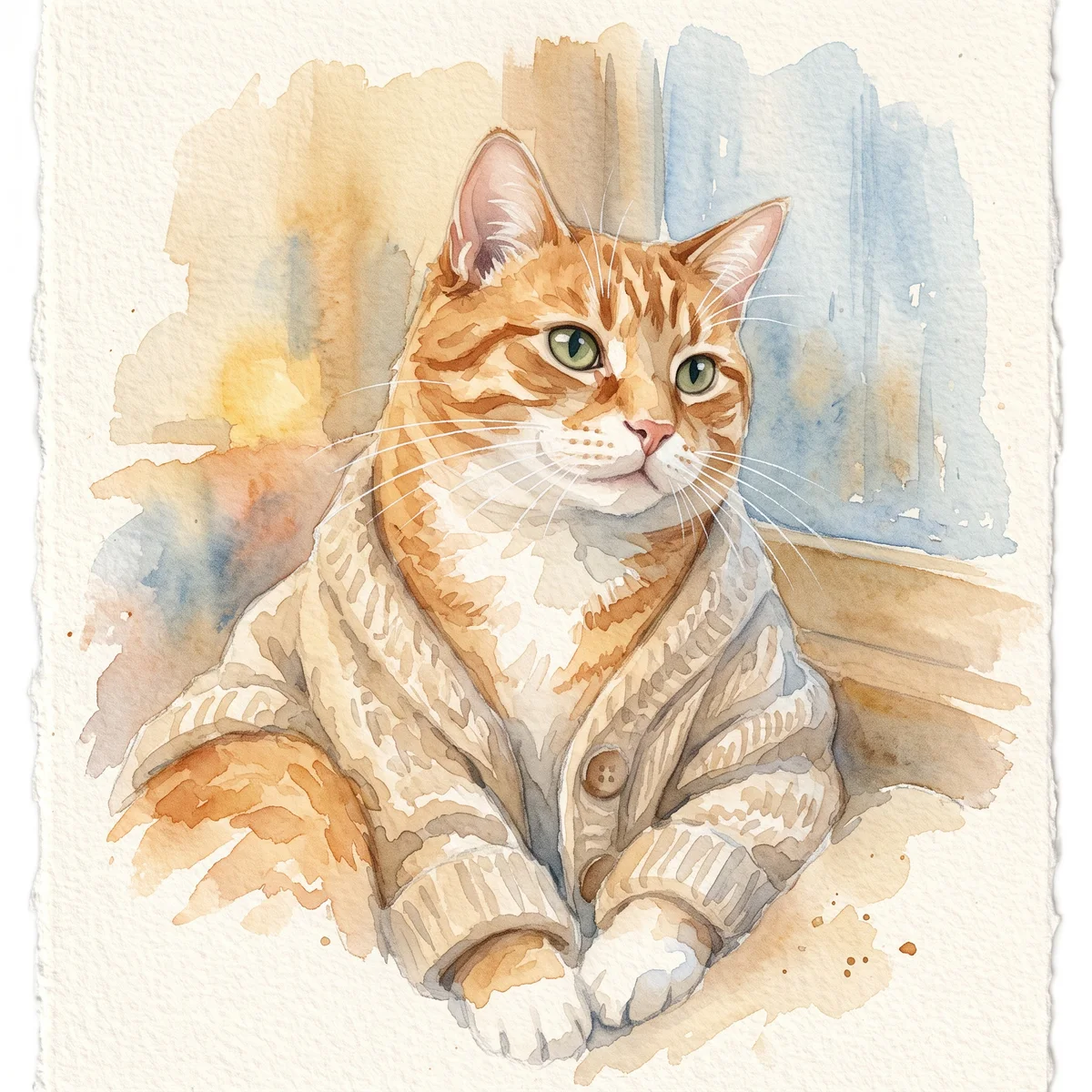
Your next useful step
Choose your starting point, edit the instructions, and review the credit quote before generating. Current access conditions are shown in the creator.
Illustrative scenario, not a customer testimonial.
Only a compressed old photograph is available. Keep an unchanged copy, identify the features you can actually see and leave hidden details uncertain. Review the AI interpretation against that record rather than calling newly invented detail a restoration.
Pet remembrance portrait
A quiet portrait to keep privately or share with someone who welcomes it. Begin with a familiar expression; decorative symbolism is optional and should follow the recipient’s preference.
Choose the photo that feels most like the pet you remember, even if it is not the newest one. Note grey fur, uneven markings and features that must not be idealized away.
Compare the eyes, muzzle and age before judging the background. Keep the original photo too. An AI remembrance image is an interpretation and does not promise grief relief or a restored memory.
Upload one to five JPG, PNG or WebP references, each up to 12 MB. Start with a clear face and add another angle only when it explains a marking or body feature.
Say what should change and what should remain: for example, change the setting while keeping the ear shape, eye color and chest patch. Avoid combining an outfit, background, pose and lighting change in the first attempt.
Check the quoted credits before submitting. When the work is ready, compare the face, edges and composition; for video, watch the beginning, middle and end. Download the accepted file from your library before its expiry date.
Image to image
This editable preset guides the model. Review the result before keeping it; a preset is not a guarantee of likeness, exact motion or flawless editing.
Edit the uploaded pet photograph. Gentle pet remembrance portrait in a peaceful flower garden, no religious symbols. Preserve the pet’s recognizable face, coat markings and proportions. Do not add text or watermarks.Try the other starting point · Text to image →
These are individual tests with licensed photographs or a written prompt. Compare the details before choosing a workflow; each result can differ.
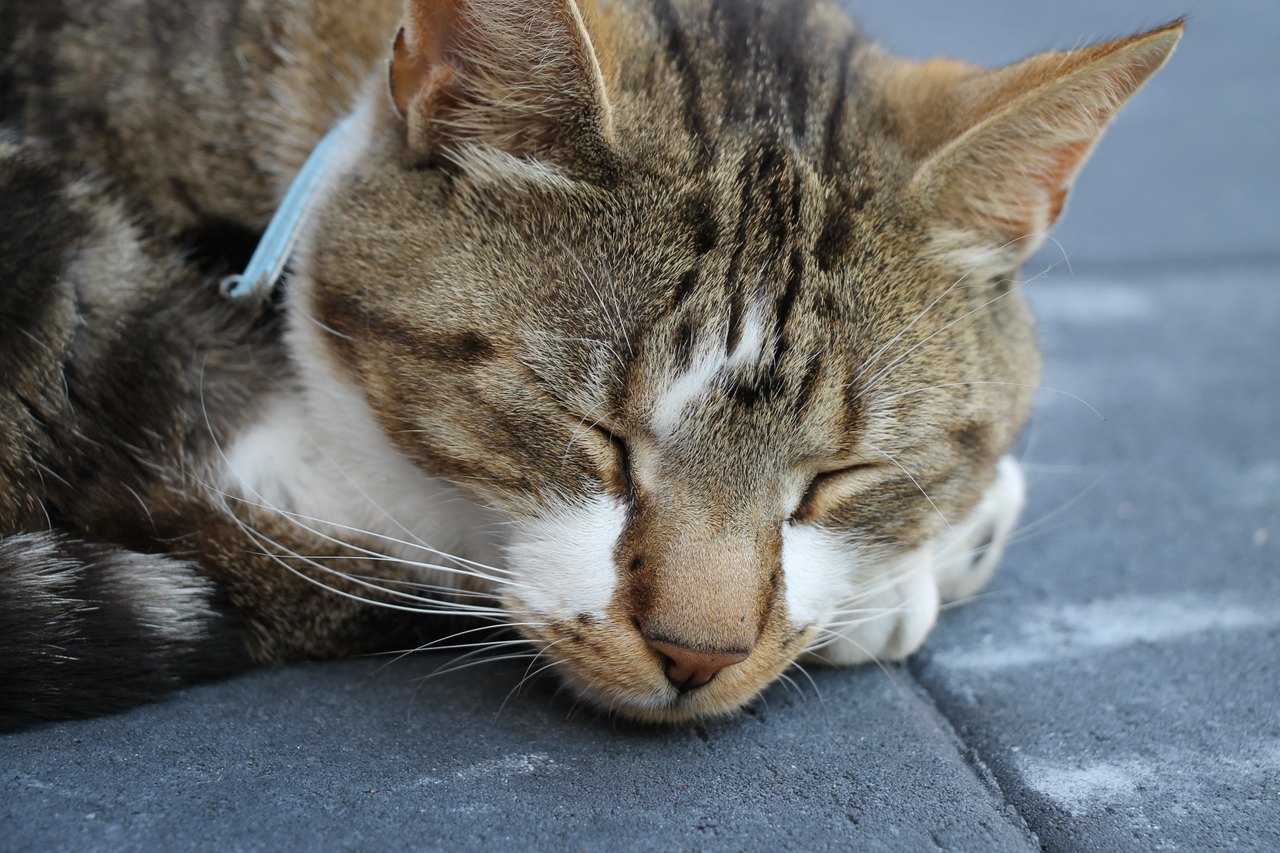
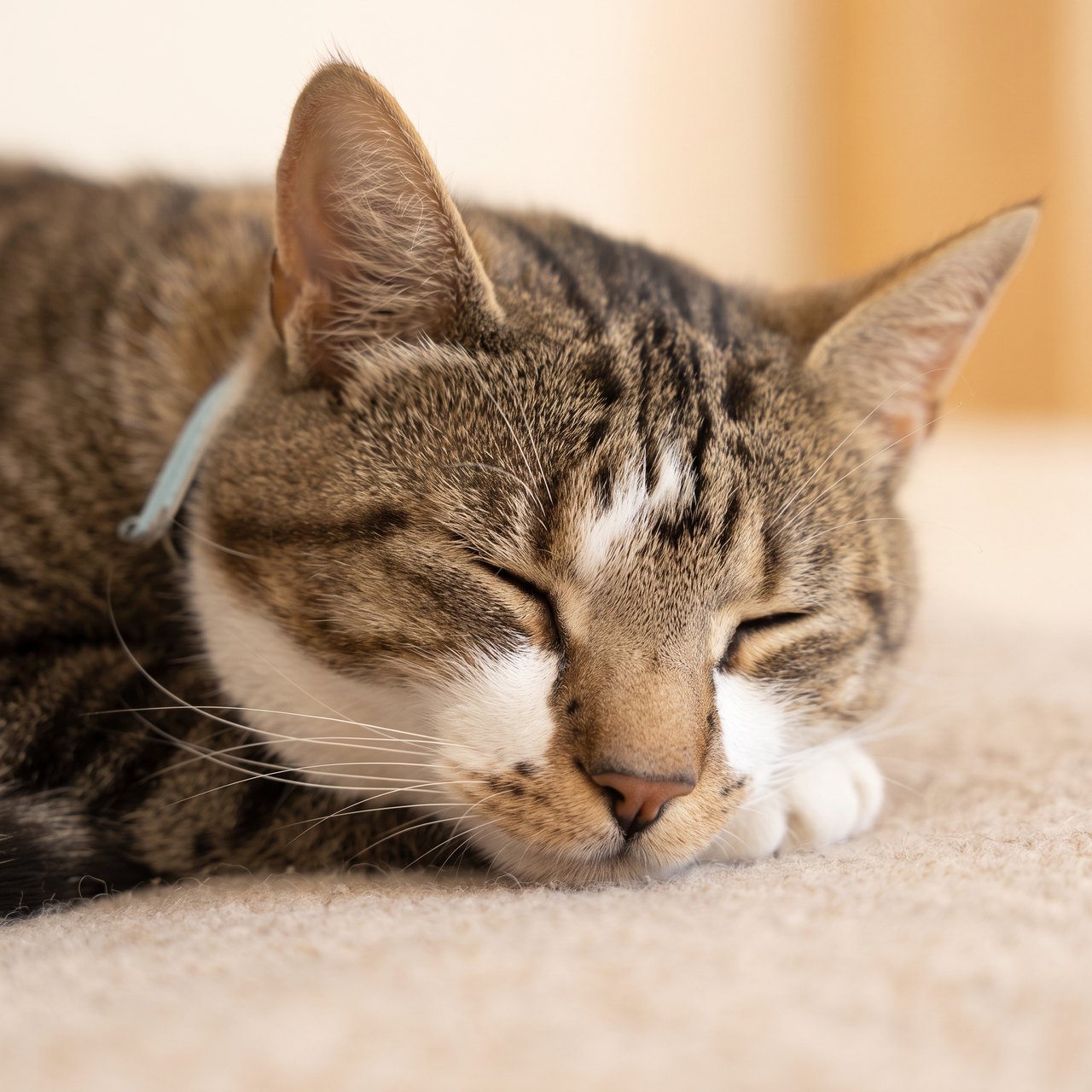
The closed eyes and main coat markings remain recognizable. Fine markings, whiskers and the surface beneath the cat were redrawn; no wings or halos were added. This is a hypothetical memorial test, with no claim about the photographed animal’s life status.
Source photograph: Roy Tanck · CC0-1.0
C04 · 2026-10-13 · fal-ai/nano-banana-2/edit
Make a quiet, restrained commemorative portrait using this exact resting cat as the reference. Preserve the closed eyes, facial proportions, ears, whiskers and visible fur markings. Keep the same natural resting expression and age, with a soft warm neutral background and gentle natural light. No angel wings, halos, rainbow, heavenly scene, candles, flowers, dates, name, text or invented objects. This is a calm artistic portrait, not a restoration of a real event.
Images and videos are compressed for this page. The dimensions shown describe the downloadable original. Video previews use the delivered clip without changing its action or playback speed.
Free previews carry a watermark: images up to 768 px on the long side and videos at 480p. They remain available for 14 days. Original access requires purchased credits when checkout is available; unlocked works are kept for 90 days. Check the actual dimensions and expiry on the completed work.
View pricing and access →Uploads and generated files belong to your private workspace. Generation providers process the material you submit. Sharing is a separate choice; upload only material you have permission to use.
Read the data-handling notice →Upload one to five JPG, PNG or WebP references, each up to 12 MB. Start with a clear face and add another angle only when it explains a marking or body feature.
Compare the eyes, muzzle and age before judging the background. Keep the original photo too. An AI remembrance image is an interpretation and does not promise grief relief or a restored memory.
A reference image gives the model information to work from, but distinctive markings, proportions and expressions can change. Text-only creation invents a pet from your description. If exact documentary detail matters, retain the original photo alongside any AI interpretation.
Free previews carry a watermark: images up to 768 px on the long side and videos at 480p. They remain available for 14 days. Original access requires purchased credits when checkout is available; unlocked works are kept for 90 days. Check the actual dimensions and expiry on the completed work.
This editable preset guides the model. Review the result before keeping it; a preset is not a guarantee of likeness, exact motion or flawless editing.
Updated 2026-10-12
Before making an AI memorial portrait, decide which details come from the original photograph and which will be imagined. This studio’s memorial workflow is for pets; it is not a general service for generating deceased people.
Record the reference details to preserve and the symbols or edits you want included or avoided.
Your entries stay in this browser tab. Download a copy before leaving; this worksheet does not send messages or place orders.
Record the visible face, coat pattern and pose from the chosen photo. If the paws or far ear are outside the frame, identify that limit. A convincing generated detail can still be an invention.
Choose whether a new background, clothing or symbolic element is welcome. Keep those additions separate from claims about the pet’s real life. A meadow scene does not mean the pet was photographed in that meadow.
If retaining the original photograph matters more than creating new scenery, consider a layout or carefully reviewed restoration. Creation-path choices help distinguish those tasks without treating every output as interchangeable.
Use the visible-details list after generation. Mark unrequested additions and decide whether to keep or revise the artwork. The pet memorial portrait workflow provides the photo-based creation step; the map remains a private companion record.
Before using an AI memorial portrait generator, divide the brief into three parts: visible in the photograph, described by someone who knows the pet, and newly imagined. A chest marking belongs in the first category only if a reference actually shows it. A favorite place may come from a remembered description. A rainbow landscape is a creative addition. This simple separation helps you explain the finished work honestly and prevents an attractive invented detail from becoming part of the family’s record.
You may welcome a painted texture while wanting the exact same face and coat pattern. You may accept a simplified room but not a younger-looking pet. Write those boundaries before choosing the effect. If preserving the original evidence is the priority, a cleaned-up photograph or a simple layout may suit the task better than generation. The creation-method decision guide compares those routes. This service’s photo workflow concerns pets; a general search for human memorial portraits does not establish support for that use.
Here is an illustrative brief: “The original shows the head and shoulders. Keep the dark left ear and white chin. The lower body is not visible; keep a head-and-shoulders crop. Replace the cluttered background with a plain light color.” Notice that the missing body is not guessed. A description of uncertainty can be more useful than a long style prompt. If the generated crop introduces paws or a different collar, record that as an unwanted addition and revise the request or choose a different reference.
Save the source photograph alongside the chosen image and a short note about what was changed. Use distinct file names such as original-photo and created-portrait instead of replacing the original. If you share the image with family, say it is an AI-created interpretation based on the photo. For a detailed likeness check, use the AI pet portrait review; for a simpler finished portrait workflow, continue to pet memorial portraits from a photo. Neither a successful download nor a convincing background proves that every detail was present in the source.
It cannot verify anatomy or markings absent from the source. Treat those details as generated additions.
No. The supported generator uses pet profiles and pet reference photographs.
Yes. Record that preference before creating the portrait.