Made for this idea
A soft portrait for a small print, keepsake or quiet profile image. Pale washes work best when the face remains the strongest shape in the composition.
Text to image
Choose between browsing fictional pet character ideas and making artwork from your own pet photos. See which inputs the current tools actually support.
Your next useful step
Choose your starting point, edit the instructions, and review the credit quote before generating. Current access conditions are shown in the creator.
Illustrative scenario, not a customer testimonial.
The request “make a pet” could mean an invented animal, a portrait of your own pet or a short video. Choose the deliverable first, then select text, photo or video input so the creator starts with the information the task needs.
Watercolor portrait
A soft portrait for a small print, keepsake or quiet profile image. Pale washes work best when the face remains the strongest shape in the composition.
Use even lighting and a plain background. Ask for a restrained palette and leave paper-colored space around the ears; busy scenery can obscure fine whiskers.
Check that watery edges have not erased an eye, merged the ears or moved a distinctive patch. Review at the size you intend to display, then use the print-size calculator if printing.
Start with a written description; no upload is needed. Name the animal, two identifying traits, the scene and the style. This route invents a pet rather than matching a photograph.
Keep the description consistent: one subject, a clear pose, a small number of colors and one visual treatment. Describe important markings explicitly instead of assuming a breed name contains every detail.
Check the quoted credits before submitting. When the work is ready, compare the face, edges and composition; for video, watch the beginning, middle and end. Download the accepted file from your library before its expiry date.
Text to image
This editable preset guides the model. Review the result before keeping it; a preset is not a guarantee of likeness, exact motion or flawless editing.
Create a detailed image of a beloved pet. Soft watercolor pet portrait with visible paper texture. Clear anatomy, expressive eyes, coherent lighting, no text or watermark.Try the other starting point · Image to image →
This is an AI demo from a real generation run. It illustrates the input mode; it is not a result for every style or a customer photograph.
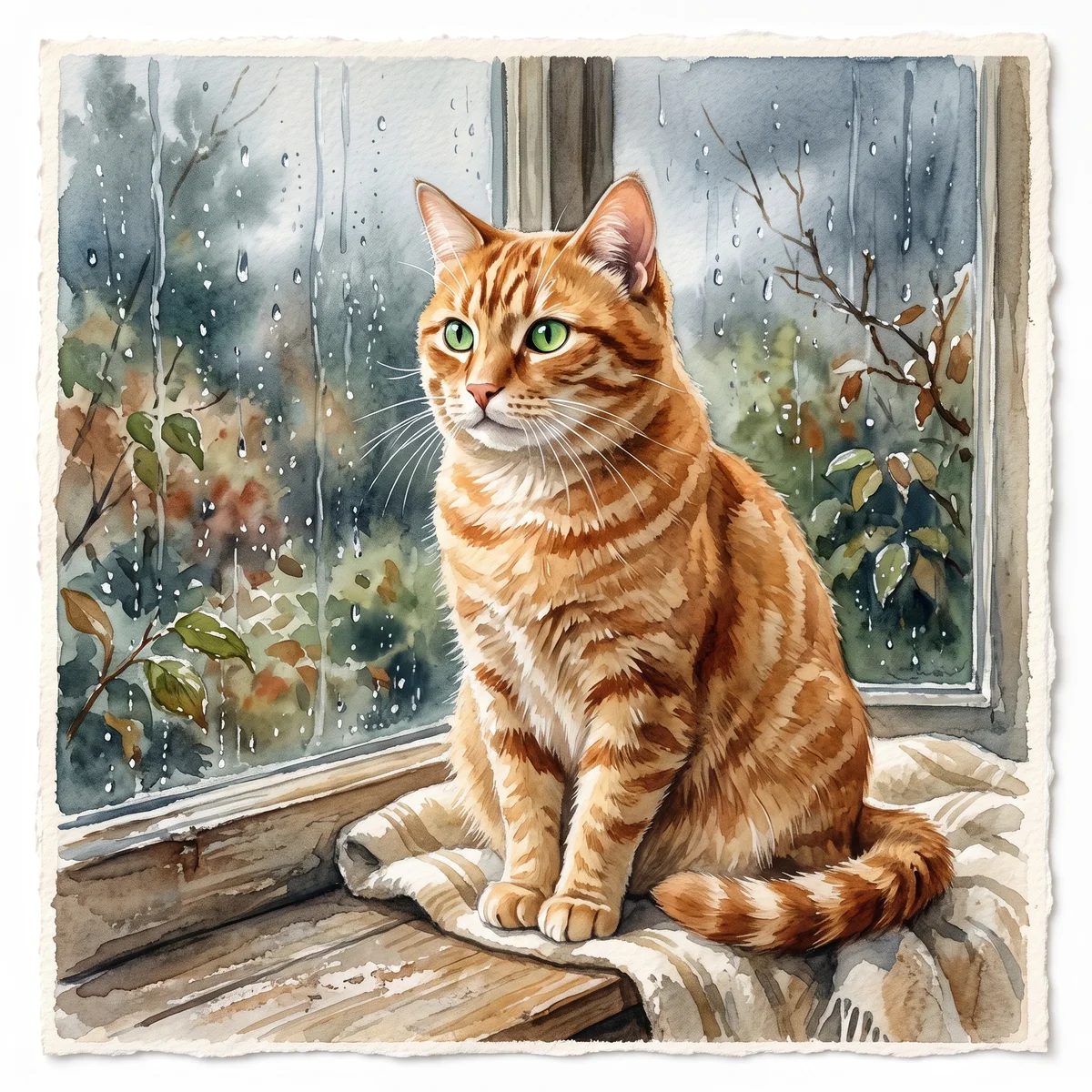
An orange tabby with green eyes, sitting by a rainy window. Watercolor on textured ivory paper.
One AI image in a square, landscape or portrait composition. Use image-to-image if keeping your own pet recognizable is the main goal.
Free previews carry a watermark: images up to 768 px on the long side and videos at 480p. They remain available for 14 days. Original access requires purchased credits when checkout is available; unlocked works are kept for 90 days. Check the actual dimensions and expiry on the completed work.
View pricing and access →Uploads and generated files belong to your private workspace. Generation providers process the material you submit. Sharing is a separate choice; upload only material you have permission to use.
Read the data-handling notice →Start with a written description; no upload is needed. Name the animal, two identifying traits, the scene and the style. This route invents a pet rather than matching a photograph.
Check that watery edges have not erased an eye, merged the ears or moved a distinctive patch. Review at the size you intend to display, then use the print-size calculator if printing.
A reference image gives the model information to work from, but distinctive markings, proportions and expressions can change. Text-only creation invents a pet from your description. If exact documentary detail matters, retain the original photo alongside any AI interpretation.
Free previews carry a watermark: images up to 768 px on the long side and videos at 480p. They remain available for 14 days. Original access requires purchased credits when checkout is available; unlocked works are kept for 90 days. Check the actual dimensions and expiry on the completed work.
This editable preset guides the model. Review the result before keeping it; a preset is not a guarantee of likeness, exact motion or flawless editing.
Updated 2026-10-12
An “AI pet generator” can mean inventing an animal character or transforming a photograph of a pet you know. The identity requirement is different: an invented character has no real source to match, while your own pet does.
Pick a portrait, a moving scene or a local photo export, then continue to the relevant tool.
Your entries stay in this browser tab. Download a copy before leaving; this worksheet does not send messages or place orders.
If you want your animal in the result, use a pet profile with authorized reference photos. Record visible markings and the age you want. The current creation workflow starts from photos; it does not offer a separate text-only fictional-pet generator.
The inspiration library contains original fictional pet scenes and artwork. You can study a setting, costume or action without treating the example animal as your own pet. The “Make this with my pet” link begins a new request using your selected references.
For a still picture, start with the portrait generator. For a scene, choose a supported video template and inspect its duration, voice and credit quote. A scene example does not guarantee an identical result from a different photograph.
Describe an invented scene as AI-created artwork. Preserve original photographs separately from generated results, especially if both appear in the same collection. If you need only a crop or wallpaper, use the local export tools without requesting a new generation.
The phrase AI pet generator can mean inventing a new animal character or transforming a photograph of a real pet. Those goals require different evidence. A fictional character can have invented markings and proportions. A portrait of your pet needs a source photograph and an identity check. This site’s creation workflow uses real pet photo references. If you want an entirely invented animal, do not assume a photo-based portrait tool supplies that workflow simply because both tools use the word generator.
Describe what you want in one sentence: a recognizable portrait, a phone background, a sticker or a short animated clip. Then collect the matching material. A portrait needs a clear face; a full-body sticker needs enough visible body for the crop; an animation needs a reference that supports the intended motion. The portrait-from-photo guide organizes still-image inputs. The video format guide helps when the desired result moves or speaks.
Suppose you want an imaginary purple cat mascot. Its value is the invented design, so resemblance to a real pet is not the acceptance test. If you want your own tortoiseshell cat as a playful avatar, the face markings become part of the test even if the background is new. These are hypothetical examples of different tasks. State which applies before using a service, and check its documented inputs and examples rather than trying to force one workflow into another.
For a real-pet portrait, compare the face, coat and pose with the original. For a device asset, also inspect the actual file type and dimensions. Keep a transparent sticker separate from a white-background image, and a real generated video separate from a static poster. Use the dog sticker tool or dog wallpaper tool only when those formats fit the task. A successful file export proves the file exists; your review still determines whether it represents the pet and use you intended.
That separate workflow is not currently offered. You can browse fictional examples and use the photo-based tools.
The request uses your own pet references for identity and the template for the setting.
Use only photos you own or have permission to use for the intended creation and sharing.